InstaFetch Lite is a free offline web browser for Android to save webpage and then read it on later even when you are offline. This is a free offline web browser for Android that lets you open and save web pages when you are connected to internet, and then read them later when you are not connected.
Update: (July 17, 2103) The app is no longer available in Google Play Store. Check out some other free browsers for Android reviewed by us.
Apart from reading the webpage, the app also allows you to listen to any audio on the webpage.

InstaFetch Lite is a simple and easy app to deal with on Android phone. Now you can carry you webpages anywhere on your Android phone. You don’t have to worry about every time having an internet access to view webpages on your Android phone. This is a perfect offline browser for Android to read web pages while traveling on a plane without internet. Just open the web pages that you want to read before start of your journey, and then read them without internet while flying high up in the sky.
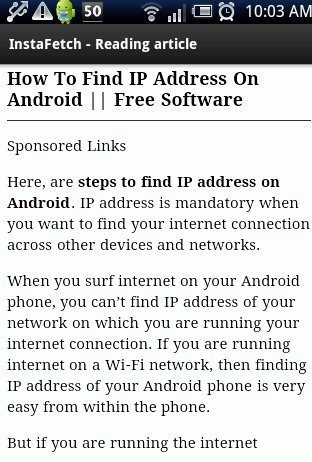
You just have to access the webpages on your Android browser when you have an internet access and then add to InstaFetch app to view it later. Later when you are offline, launch the app on your Android phone and read or listen the webpages saved to the app.
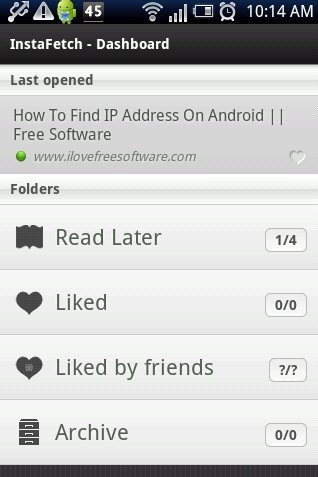
Note: The app doesn’t display any bullet points from the webpage. Also, the app doesn’t import any images from any webpage on Android.
Also, take a look on how to copy text from webpage on Android reviewed by us.
Some Key Features Of InstaFetch Lite App Offline Browser for Android:
- It is a free offline web browser for Android
- The app allows you to save webpage on your Android phone.
- You can read the webpages saved later even if you are offline.

- You can share webpage saved via Bluetooth, Gmail, Facebook, Dropbox and the like.
- You can sign-up with app to share webpage with InstaFetch community.
- The app provides you smart search on your Android phone.
- All the settings options are highly customizable.
- The app allows you to open the saved webpage on your Android browser again.
Also, check out how to add a website shortcut on Android home screen reviewed by us.
How To Install InstaFetch Lite App:
- Scan the QR Code below.

- If you don’t have a Barcode Scanner app, then login to Google Play Store.
- Search “InstaFetch Lite” app in Google Play Store.
- Install the app on your Android.

The free InstaFetch Lite app will be automatically installed. Now view you webpages even if you are offline on your Android phone.
Just make use of your smart phone in a very smart way.
