• Home
  • Software Testing Service
  • About US
    • Privacy Policy
    • Disclosure
  • Write For Us
  • Submit Software
  • Contact Us
    • Subscribe
I Love Free Software
Best free software available all over the web. The free software categories include Windows Software, Social Networking Tools, and software installation videos.


  • Featured
  • Windows
  • Web Applications
  • App Store
  • Android
  • iPhone
  • iPad
  • Windows 8
  • Social Networking
  • Programming Tools

eM Client: Free Communication Client for Email, IM, Calendar

By Ishan Bansal on November 21, 2009 | Sponsored Links

eM Client is a very feature rich communication client for Windows. eM Client rightly calls itself as Communication client, as it supports all your communicaton needs – it is a full featured email client, comes with very good instant messaging capabilities, has integration with Skype, can access multiple calendars including Google Calendar, and a lot more. Love it!
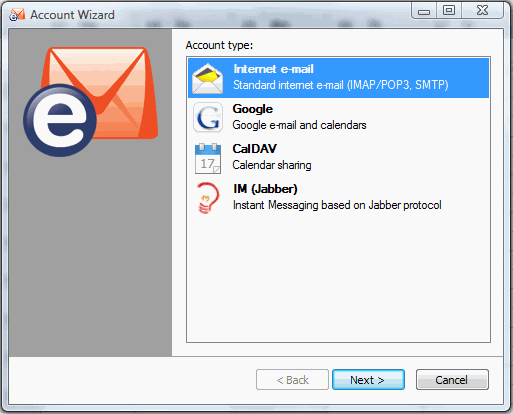
eM Client Full Featured Communication Client
Sponsored Links


eM Client is very well addressing the problem that all of us end up having multiple software on our computer for our communication needs. We normally have a free email client (like Mozilla Thunderbird), Skype for our messaging needs, and some other clients for other communications, like Twitter clients. eM Client very nicely integrates all that together. This ensures that you can access everything from a single place, without requiring to keep track of multiple clients.

Here are some of the features of eM Client:

eM Client – Email Client
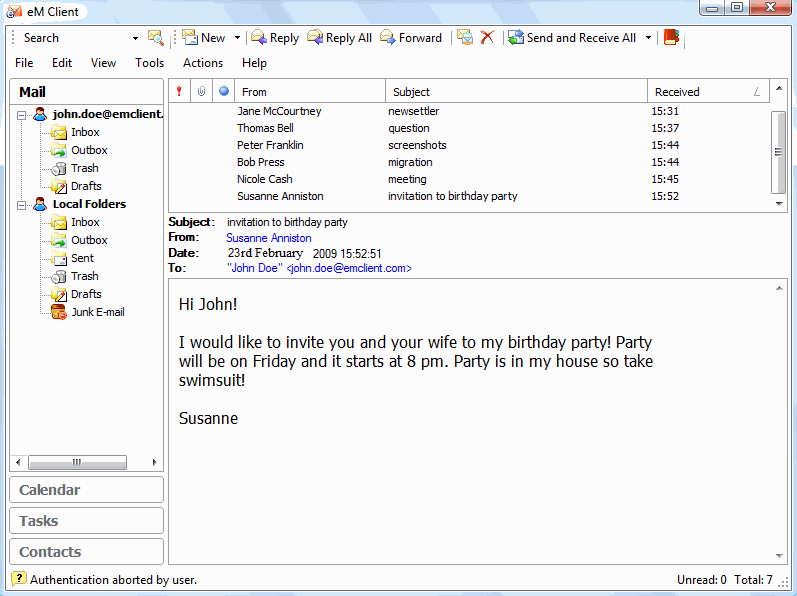
eM Client Free Email Client

  • Supports all the standard Internet Mail servers based on IMAP/POP3, and SMTP.
  • Native support for Gmail.
  • It can import Mail from .EML, MS Outlook, Outlook Express, The Bat or Thunderbird.
  • Comes with customizable interface, like MS Outlook.
  • Very fast full text search to quickly find the email that you are looking for.
  • Good support for Printing of mail messages, events, contacts and tasks.
  • Preview pane to quickly preview a message.

eM Client – Messaging Capabilities:
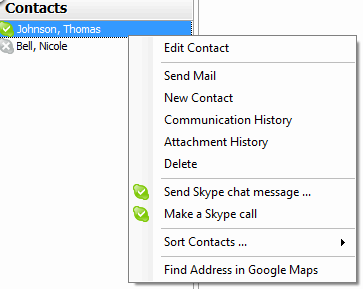
em Client Integration with Skype

  • eM Client comes with built-in Instant Messaging client.
  • Skype Integration provides an easy way to chat with your exising Skype contacts.
  • Uses Jabber protocol for Instant Messaging.
  • Integrates IM capabilities with your email contact list, so that you can easily chat with anyone.
  • File transfer support

Calendar Capabilities:
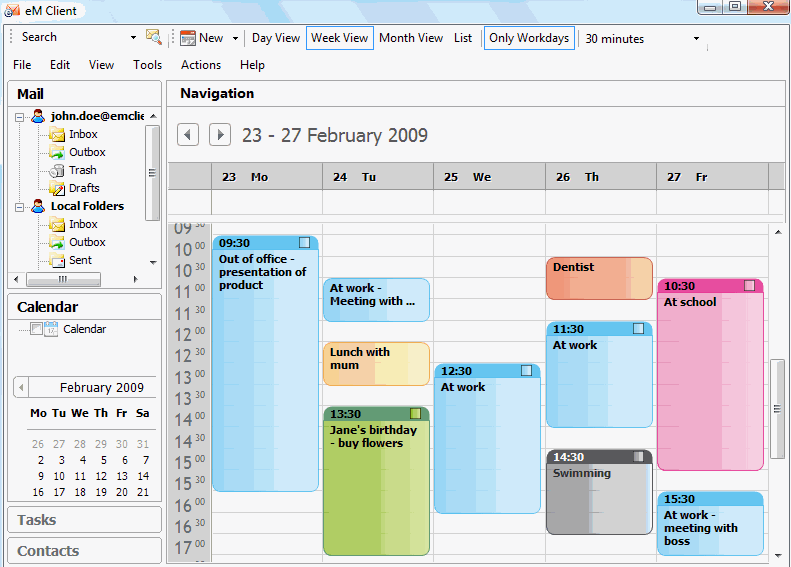
em Client Calendars

  • eM Client has really strong capabilities to manage multiple calendars. This is actually one of the features I like most in eM Client. It can access any calendar that is based on CalDav protocol (it is an Internet standard for Calendars). This means that it can support lot of popular calendars that are available in market.
  • Provides native support for synchronization with Google Calendar.
  • Show Free/Busy view, and show multiple calendars together.

Apart from these, eM Client also provides support for online widgets, that can further enhance the capabilities of eM Client. eM Client also comes with a RSS Widget to keep track of the RSS feeds that you have subscribed to.

eM Client is really versatile, and very well designed. eM Client makes it very easy to migrate from MS Outlook or Outlook express. Only thing it lacks is a full featured Browser – that would have turned it into a complete All-in-One internet suite like SeaMonkey.

Home Page: Click Here
Works With: Windows
Free / Paid: Free

Link to This Page:


You Might Also Like:

  1. Windows Live Mail: Free Email Client from Microsoft
  2. 7 Best Free Email Clients: Free Replacement for Outlook
  3. Zimbra Desktop: Free Email Client to Check Yahoo Mail
  4. Download Spicebird: Combination of Thunderbird and Sunbird
  5. Pegasus Mail: Powerful Free Email Client for LAN

Be the first to know about Latest Free Software:

  • Join us on Facebook
  • Subscribe to our RSS Feed
  • Follow us on Twitter
  • Subscribe to Email Updates:

Posted in Chat Clients, Email Clients, Internet Tools | Tagged em client, email clients, free communication suite, free em client, free email client, IM in email | 5 Responses

Ishan Bansal

  • Pingback: 7 Best Free Email Clients: Free Replacement for Outlook | I Love Free Software

  • Fate

    Got here from your post about “Outlook on the Desktop”, in case you’re wondering why I’m replying to an old post.

    I checked it out and the free version supports only two accounts. Should be mentioned.

    • ilovefreesw

      @Fate: This limit wasn\’t there when he had written about this software. Thanks for bringing it to my notice.

  • Pauline Hibbert

    Is this email program totally for free with all as mentioned above. we are looking into a email program with calender for our office and also business at home. Would this be suitable and where can I download it is suitable

    • http://www.ilovefreesoftware.com/ Ishan

      @Pauline: Yes, this is completely free. For more options, also check out this page: http://www.ilovefreesoftware.com/19/articles/7-best-free-email-clients-free-replacement-for-outlook.html

« Previous Next »

Featured Posts

  • Top 7 Free Launchers for Android
  • 5 Free Snippet Managers To Manage Code Snippets
  • 5 Free Online Tools To Test Website In Different Resolutions
  • 5 Free Microsoft Access Alternatives
  • 5 Free IP Notifier Apps
  • 5 Online Mapping Websites
  • 5 Free Alternatives To iGoogle
  • 7 Websites To Download Windows 8 Themes

Join More than 15,000 Followers!

Enter your Email Address
  • Submit Software
  • Software Testing Service
  • Write For Us
  • About Us
  • Privacy Policy
  • Disclosure
  • Contact Us

Link to Us:

Did we review your software here? Feel free to flaunt this badge on your website:

Free Software

Use this Code:

Copyright © 2013 I Love Free Software.

Powered by WordPress and Hybrid. New - H