PhotoPad is a free image editor where, next to the pretty basic image manipulations like adjusting image contrast and color, you can also load images from the scanner, create collages and even panoramas. But small scale image editing is where PhotoPad is the best, you can use it when you’re loading pictures from your camera or even your mobile phone to the computer.
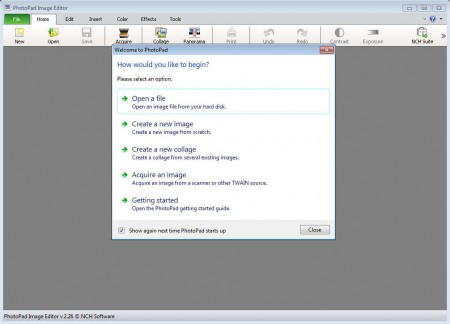
Small welcome window waits for you when you open up PhotoPad for the first time, it can be seen on the image above. There you’re gonna be able to select basic functions, like opening new images, creating collages or loading new images using your scanner, if you happen to have one. Some of the more interesting features offered by this free image editor would be:
- Creating image collages and panoramas
- Support for layers, each new image effect or edit goes on a new layer
- Effects – blur, sharpen, local focus, red eye removal, blemish, border, vignette
- Color – auto contrast, levels, tint, negative, sepia, brightness
- Importing images from the scanner
Simplest way of how you can start using PhotoPad would be by clicking on the Open new file from the welcome window that we mentioned before. After you do that, you’ll be able to see a very professional looking image editing area, where you can easily make changes to your photos and pictures.
Similar service: PicBackMan, Imagebox.com.
How to edit images and photos with PhotoPad
From the size of the PhotoPad installer you would have never guessed that this free photo editor has so many image editing tool. With less than a megabyte in size, when you open an image inside PhotoPad, you will be greeted with the following screen:
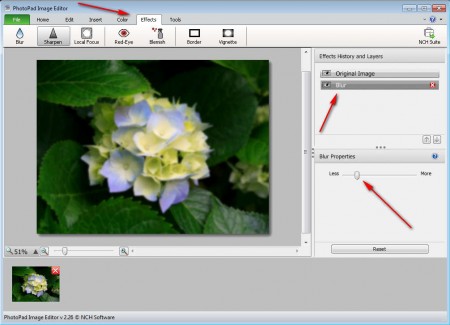
Majority of tools important for image editing are available in the upper toolbar, the one that’s all the way next to the top window border. On the image above we have the Effects tool tab opened, and you can see that we applied it to the main image at the center of the screen. On the right we also have a new layer added called blur, with a red x standing next to it, which you can use if you don’t like what you’re seeing and would like to remove the effect. Effect properties window can be seen in the lower right corner. That’s how every tool in the PhotoPad operates.
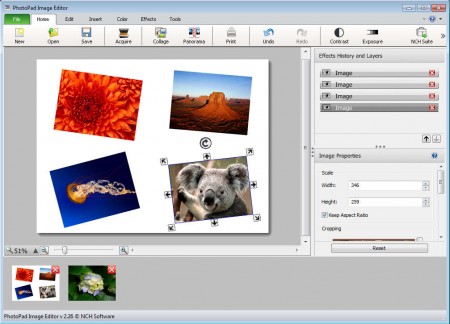
To create image collages, you need to click on the Collage button available in the Home tab, which will then open up the Create collage window where you need to select the size and add images for the collage. After clicking on Create, you should see something similar to what can be seen on the image above, only your image won’t be skewed, we did that using the transform handles which can be seen on the koala image.
Conclusion
PhotoPad is a very small and lightweight application which brings a lot of interested tools. With the Panorama tool you can stitch together several smaller photos so that they make a larger panorama type of photo, the collage tool you’ve already seen in action. Even without these two tools PhotoPad has a lot to offer and everyone should try it out.
