picplz is a free Android app to add multiple photo effects to photos on Android. picplz comes up with ultimate collection of photo effects on Android. You can easily import photos from your Android phone’s gallery and then add multiple photo effects to that photo on Android.
Most importantly, you can easily click a photo from your Android phone’s camera and then give effects to that photo in real-time. The app even allows you to share the created masterpiece via Facebook and Twitter. You can even crop the image, rotate it, add stickers to it, add text, adjust brightness, contrast, saturation, colors, draw on the image and much more.

The appreciating part of this Android picplz app is its photo effects which totally changes the color resolution of the image imported in the app or clicked from your Android’s camera.
The only part which I didn’t like about this photo editing app is it’s photo saving part. After giving effects to photos, you can’t save them to your SD card. The app only offers the option to share the photo via Facebook, Twitter, Flickr, tumblr, Dropbox and much more.
 You can check out PicsArt app for Android reviewed by us.
Key Features Of picplz App To Add Effects To Photos On Android:
- Add multiple photo effects to photos on Android.
- Crop the image, rotate it, add stickers to it, add text, and much more.

- App is simple and easy to use on Android.
- Add caption to the photos from the app.
- Sign up with app to share your photos with picplz community.
- Share photos via Facebook, Twitter, Flickr, tumblr, Dropbox and much more.

- Take a photo from your Android’s camera and add effects to it in real-time.
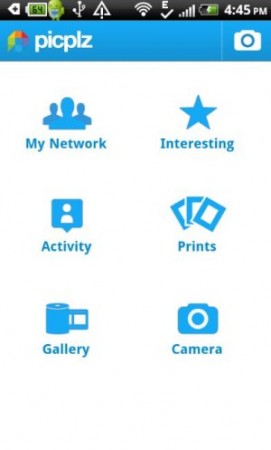
- The app interface looks as if you are using some social networking app.


You can even check out Instagram app for Androidreviewed by us.
How To Install picplz App On Android:
- Login to Google Play Store on your Android phone.
- Tap on search tab and then search for “picplz” app in Google Play Store.
- Scan the QR Code below with a Barcode Scanner app on your Android phone.

- Install the app on your Android phone.

The free Android picplz app will be automatically installed on your Android phone. Now just add multiple photo effects to the photos on your Android phone. Share your masterpiece on your Favorite social networks with your Android phone.
