XnConvert is a free image converter and editor, it works on Windows, Linux and Mac and it comes with support for over 500 different image formats. A lot of the times we find ourselves in situations where we need to convert one type of photo into another, when we need to open them in specialized image editors for example. Finding the right image converter, the one that has the format which we require isn’t easy, but with XnConvert, you shouldn’t have these problems because it supports practically all of them, and it’s very easy to use.
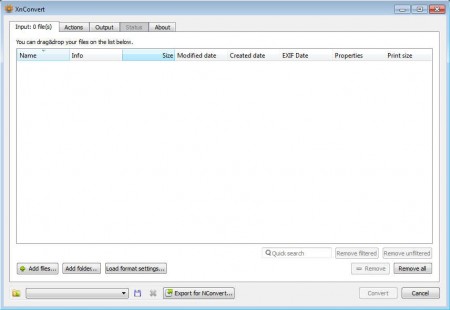
The default interface of XnConvert isn’t very complicated even though it has a lot to offer. There’s a whole set of different image editing tools that XnConvert has which you can use in a number of different ways to convert and edit photos. Some of the more interesting image editing features found in XnConvert would be:
- Batch image converter with .bat script support
- Support for a lot of formats, common ones included (JPEG, PNG, GIF, BMP)
- Crop, add filters, resize, adjust brightness and a lot more
- Image quality adjustments and previews
- Imported images are placed in a gallery, for easier overview
Tabs can be used to go through the options, so you don’t have to open various different menus you can just flip through tabs and change conversion settings, until finally clicking Convert and landing on the status tab, but before you are able to do that, you’re first gonna have to import image that you want converted.
How to convert images and photos with XnConvert
Before it will be possible to convert and edit images they’re gonna have to be imported, you can do that by either clicking on the Add files or Add folder button, which is gonna import image one by one or entire folders at once.
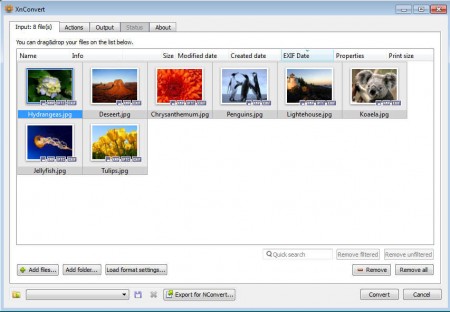
This would be the gallery overview of imported images, here they can be easily checked for duplicates and if any of them are not adequate enough, they can be deleted easily. Next step in your adventure would be clicking on the Actions tab, that’s where all of the previously mentioned editing tools are available:
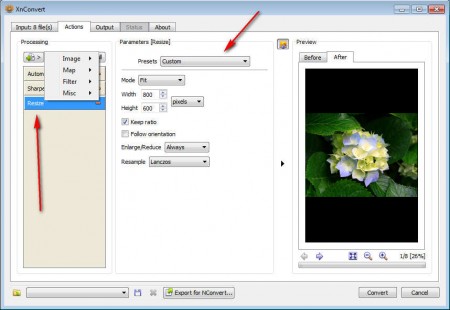
Actions contains a large selection of tools divided into 4 groups. As you can see we have selected Automatic color balance, sharpen and resize, but there is almost as much as image processing tools and options as there are supported image formats. XnConvert can go hand in hand with some image editors when it comes to available image editing options. In the Convert tab select the folder where converted images will go, obviously change the format if you want, and then hit Convert in the bottom right corner. That will land you to the Status tab and your photos should be converted.
Conclusion
XnConvert is a very powerful image converter and editor which you can use for a number of different things. You can for example use it to convert and process RAW images from your digital camera or to simply convert and resize photos that you want to send over email, you can do all of these things and more with XnConvert, try it now and see how useful it is.
