Bitrix24 is a website that provides social media capabilities to organisations or businesses on a LAN. The program offers user three memberships plans, the basic plan which is free, standard and professional plan which have additional features and fewer restrictions in terms of employees and storage space go for 99 and 199 dollars respectively.
Features of Bitrix24
Social intranet: Bitrix24 combines all the feature of a typical social network to a smaller group to help them communicate more easily. Companies or people using the application will be able to tap into the advantages of effective and fast communication. Besides communication, the intranet contains task management, time-sharing and document sharing modules.
The activity stream which is more like your news feed on Facebook keeps you up to date with real-time updates. The activity stream post updates and changes on production, social and other modules of the application. The activity stream is unique for each employee and can be configured to block and display certain updates. The activity stream can also dispatch notifications via email and messages.
Interactive intranet that allows users to view and edit comments and even like updates and other items. With these features one can easily view and get feedback regarding several issues pertaining to employees. The feature incorporates a search feature making content easy to find.
Instant messenger which is simply a chat application that can be able to send and receive text and files between users. The messenger store user contacts and has a status option where you can choose whether to display available or busy. The busy option does not allow popups but still displays all new messages. The internal messenger can also be used to send and receive invitations to meetings and other events.
Support for handheld devices. Through your smart phone or tablet, you can easily access Bitrix24 from any location and perform basic tasks like comment, view notifications and even chat and exchange files via the messenger.
How to create your own social media over Intranet
To begin using Bitrix24 you have to provide a valid email address before an intranet can be created. Enter the name of your intranet, a company name and administrator account information. After you have registered a new intranet, you can continue to configure it for use in your organisation.
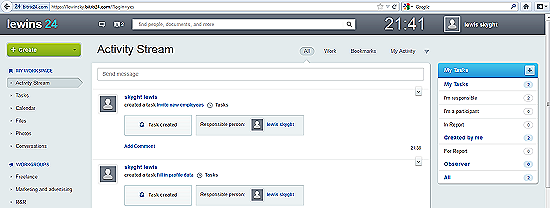
To invite employees to the intranet, click on the green Create button and select invite users. Enter valid email address and separate them with commas, click Invite to send request and Close to cancel requests. To start a conversation, click create and select Conversation, enter text in the text area and select users you want to view the conversation. You can add images, video, links and files using the icons in the text area. Click Send to publish the conversation. To view the most current information, click Activity stream. Click Tasks to view your current tasks.
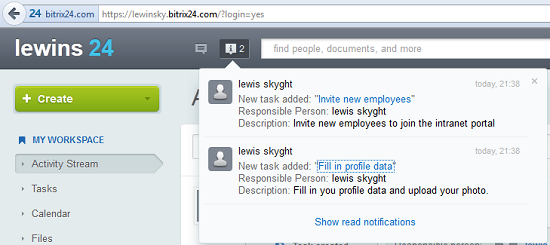
Message notifications are displayed on the browser tab. Messages can be accessed by clicking on the message icon. To view and upload photos, click the Photos button. Workgroups group users based on the work they do. To access workgroups, click on the respective buttons in the Workgroups section. The company section lets you view, add and edit all users, monitor and track employee attendance via the Absence Chart button and view all shared documents via the Shared Documents button. Application preferences can be viewed by selecting the Settings button. In the settings section you can edit company information and view basic application information like the number of users currently supported by your membership plan and storage space available for your organisation. You can also renew or add a license to activate premium membership. The instant messenger toolbar is docked at the bottom right but can be moved by dragging. The messenger lets you access contacts, chat and exchange files.
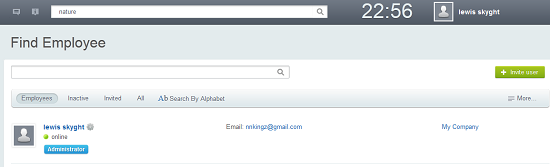
This review was conducted using administrator rights and depending on your current status in the organisation, you may not be allowed to perform some of the tasks performed above.
Pros
- Simple and easy to use
- Instant messenger can send files
- Enables faster and efficient communication
- Remote login via portable devices
- Centralised administrator overlooks management of the application
- Easily customizable interface and notifications
Cons
- To many restrictions on the basic membership plan.
Conclusion
No other Intranet applications for creating social media of same pricing can even come close to what Bitrix24 has to offer.
