• Home
  • Software Testing Service
  • About US
    • Privacy Policy
    • Disclosure
  • Write For Us
  • Submit Software
  • Contact Us
    • Subscribe
I Love Free Software
Best free software available all over the web. The free software categories include Windows Software, Social Networking Tools, and software installation videos.


  • Featured
  • Windows
  • Web Applications
  • App Store
  • Android
  • iPhone
  • iPad
  • Windows 8
  • Social Networking
  • Programming Tools

HDClone: Free Utility to Clone your Hard Disk

By Ishayat on July 18, 2011 | Sponsored Links

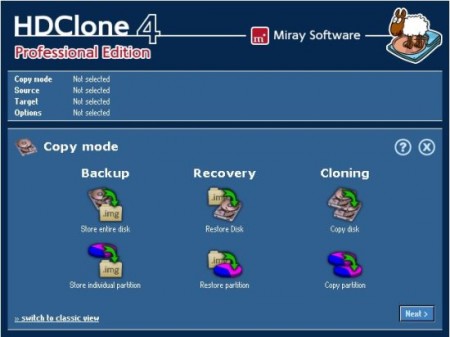
HDClone is a free system utlity that helps you to clone your hard disk to another large one. You can use this freeware to migrate your existing installed files to a new and large hard disk or you can try it for rescuing all your files and documents. This free hard disk utility gives you full freedom to clone your hard disk without many limits and is specially designed for short-term usage. Moreover, it’s completely free.
hdclone
Sponsored Links

If your hard disk is filled with important files, documents and other files and you want to move them to a large hard disk, HDClone is what you are looking for. You can move all the files easily or migrate already installed things to a larger new hard disk. This free system utility supports SATA, ATA and IDE hard disks, SATA, eSATA and SATA II and USB 1.1 & 2.0, EHCI and OHCI. You can clone the entire drive with the free version and enjoy feature like physical images. This freeware also comes with exclusive features like self-booting and supports Windows 7, Vista and XP.

You will find this free system utility very easy to use. The free version is available for private use only. So, if you are thinking about using it for your institution or company, you will have to purchase the standard, professional and enterprise version of this freeware. If you want to compare the features available with these different versions, you can go to Miray Software’s official website to take a look at the version overviews. You will find more information on all the software version, hardware requirements, version overview on their official website.

You can also try Drive Dumper, DriveImage and Dekart Private Disk Lite reviewed by us.

Features of HDClone:

  • Clone your entire hard disk in a smart way
  • Enjoy features like physical images in the free version
  • Supports SATA, ATA and IDE hard disks
  • Supports USB 1.1 & 2.0, OHCI, EHCI and UHCI connection
  • Supports Windows 7, Vista and XP

HDClone is available for download at Miray Software’s official website. It’s only 12.4MB in size and supports all Windows OS. Download HDClone Free.

Home Page: Click Here
Works With: Windows (All)
Free / Paid: Free

Link to This Page:


You Might Also Like:

  1. HDD Guardian: Free Hard Disk Utility
  2. Virtual Disk Utility: Virtual Disk Drive to Secure Data
  3. Drive Dumper – Free Software to Clone Disk or Partition
  4. Free Disk Cleaning Software For Windows: Gilisoft Free Disk Cleaner
  5. HDDScan: Free Software to Scan Bad Sectors on Hard Disk

Be the first to know about Latest Free Software:

  • Join us on Facebook
  • Subscribe to our RSS Feed
  • Follow us on Twitter
  • Subscribe to Email Updates:

Posted in System Utilities | Tagged Clone, free system utility, hard disk, HDClone | Leave a response

Ishayat

« Previous Next »

Featured Posts

  • 5 Free Snippet Managers To Manage Code Snippets
  • 5 Free Online Tools To Test Website In Different Resolutions
  • 5 Free Microsoft Access Alternatives
  • 5 Free IP Notifier Apps
  • 5 Online Mapping Websites
  • 5 Free Alternatives To iGoogle
  • 7 Websites To Download Windows 8 Themes
  • 5 Best Free Calculator Apps For Windows 8

Join More than 15,000 Followers!

Enter your Email Address
  • Submit Software
  • Software Testing Service
  • Write For Us
  • About Us
  • Privacy Policy
  • Disclosure
  • Contact Us

Link to Us:

Did we review your software here? Feel free to flaunt this badge on your website:

Free Software

Use this Code:

Copyright © 2013 I Love Free Software.

Powered by WordPress and Hybrid. New - H