TimeGT is a completely free task and time management utility which can help everyone who’s having problems keeping up with their appointments and schedules. To use this application you’re gonna have to register with the TimeGT website, you will be asked for a username and a password as soon as you open up the application, which you can get online for free.

Application is rather large, so if you have a slow internet connection, you’ll have to wait a bit longer to download, but the wait is more than worth it. What you see above is the default window which waits for you after starting up TimeGT for the first time. Like I already mentioned you will have to register a free online account, or you can opt out for a paid account, which will set you back for around 5 euros per month, but you get the following benefits with a paid account:
- Sycn and backup information on the TimeGT server
- 24/7 email support
- Get your feature requests completed quicker
The account upgrade from the free account to the paid account is automatic, and you will not have to download a different application, the one you use with the free account can be simply switched to the paid account type, where all of the above options are present. For now we’re just gonna have a look at the free version of TimeGT, which offers you task and time management locally on your computer, and it has everything that the paid version has, but without the online sync and backup of information.
Similar software: Mimosa, Interactive Calender, Efficient Ladies Organizer.
TimeGT scheduler and task management
Using this time management utility is very simple, the first step to use this program is to login, after the online account is created. This has to be done even if you use the free account, for protection sake.
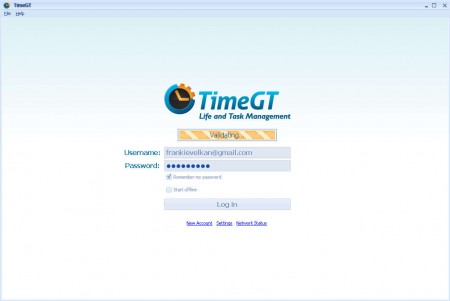
Since people will probably store sensitive data inside the program, protection is very important, so much so that there is no password recovery option. In case you’ve forgotten your password, you will not be able to recover it, so make sure that you remember it, otherwise you’ll lose your account and all the tasks and schedules that you might have stored inside it.
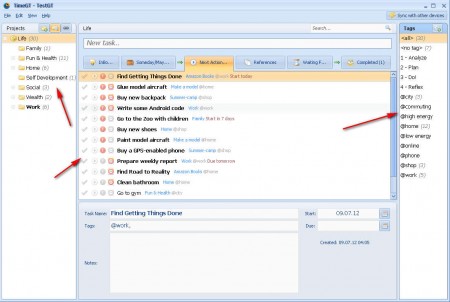
After the initial program startup, you’ll be asked to populate the schedule with some basic tasks which you can see on the image above. Using TimeGT with auto fill out is a great way of getting familiar with this time organizer. Imported tasks will be sorted in categories on the left, you can just edit them or add new ones by clicking on the New Task field:
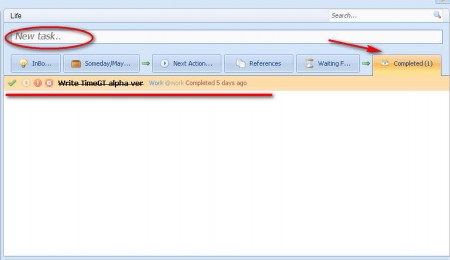
Here you can also see the Completed list of tasks, which is where tasks which you are done with will be placed. Managing tasks and time with TimeGT can make you more motivated, and if not that, you at least will not forget to do things which you need to do. Managing time is very important, and with TimeGT, you get a free time and task management application, make sure to try it out if you’re having problems getting things done.
