Google Offers is a free newly launched Chrome extension to view and buy new exciting offers and deals. Google has now introduced this great extension to straight away know about the existing and exciting offers near your place. Now you don’t need to search for the latest offers and deals on the internet or via any other search engine. Just view and buy them through your smart Google Chrome extension.

This chrome extension contains all the updated offers when you access it on your PC. Google Offers is specially designed to know and buy the latest offers running currently in different states of US. The nice part of this Chrome extension is that, you can sort all the offers displayed according to the cities of US.
You can check all the latest offers and deals according to the cities in which the offers are running. I really liked this Chrome extension as now I don’t have to head on searching latest offers on internet via search engines. Now I know what is going on in my city and then I can easily avail that offer or deal.
You can check out 365Scores Notifier extension reviewed by us.
Some Key Features Of Google Offers Extension:
- The Chrome extension comes up with latest offers and deals.
- You can easily sort the offers and deals displayed according to the cities in US.
- The extension allows you to share the offers via Facebook, Gmail, Twitter and more.
- You can directly subscribe to offers and deals and then you can buy them online.

- The extension really works fast and excellent when installed on Google Chrome browser.
- This Chrome extension displays the percentage of discount offered on each deal.
- All the offers are displayed with images when you access Chrome extension on your Google Chrome browser.

Also, take a look on StayFocused Chrome Extension reviewed by us.
How To Install Google Offers Extension In Google Chrome Browser:
- Click here to get the direct download link of Google Offers extension.
- Tap on “Add To Chrome” button to install the extension on your Google Chrome Browser.

- Your Google Offers extension will be automatically installed on your Google Chrome browser.

How To Access Google Offers Extension On Chrome Browser:
- Open your Google Chrome browser on your PC.
- Tap on blue color button on the right top side of the navigation bar of Chrome.
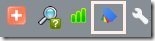
- You can now easily access your Google Offers extension on your Chrome browser.

Install this intelligent and useful extension today on your Chrome browser and access all the latest offers running in your city. Be updated with all your latest offers and deals running around you or even in your country.
