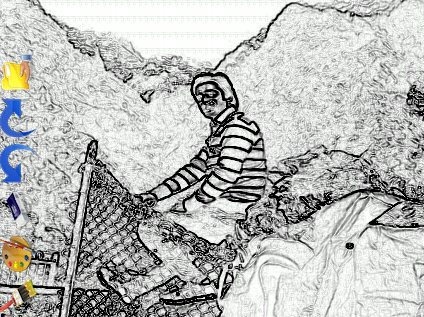
Sketch Me More is a free Android app to create sketch of images on Android. This Sketch app comes up with sketch and oil painting effects to be added to photos on Android.
You can easily import the images from your Android’s photo gallery or you can also take a pic from your Android’s camera and then make sketch out of the images on Android. In addition, you can also import any image from your Facebook account if you have any. The oil paint part of the app works a bit slow on. This is the only weak part of this Android sketch app.

If you have an iPhone, then you can install My Sketch App on your iPhone.
Some Key Features Of This Sketch App:
- You can create sketch out of images on Android.
- Give oil paint effects to the Images on your Android phone.

- Save the created sketch in SD card on your Android phone.
- Share the sketch or oil paint image via Gmail, Facebook, Viber, Dropbox, Twitter and the like.
- Draw art on the image.
- Undo or Redo the changes made.

- You can import images from your Android phone’s gallery and then make sketch out of the images on your Android.

- Take an image from your Android phone’s camera and then create sketch of the clicked image in real-time.
- Select any image directly from your Facebook account and then create sketch.
- Absolutely free in Google Play Store.
How To Use:
- Download and install the app on your Android phone.
- Launch the app.
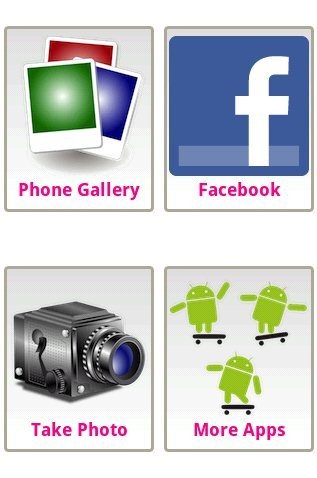
- Tap on photo gallery option to import any image from your phone’s gallery, take photo option to click photo from your Android’s camera, Facebook to import photos from your Facebook account.
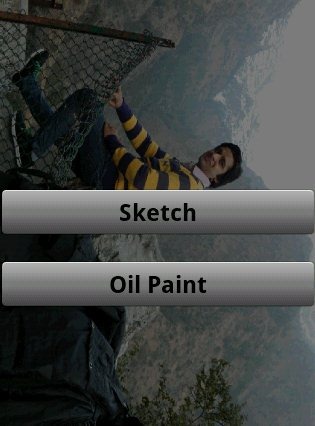
- Select the type of effect (Sketch or Oil Paint) and you are done with.
- Now you can save the image on your SD card and then share it with your friends and family.
Install:
Search for “Sketch Me More” app in Google Play Store. If you have a Barcode Scanner app, then you can scan the QR Code below to directly install the app on your Android phone. Now tap on install button.

This Android sketch app is truly a remarkable app because of its simplicity. Install the app today on your Android phone to convert your images to give them sketch look on your Android phone. If you don’t like to sketch the images on Android, then you can also draw sketch on Android.
