Dreamhost provides a free WordPress hosting service to host WordPress blog free. You do not even need to purchase a domain with Dreamhost Apps to use this free web hosting. You can use your existing domain, use a sub-domain, or purchase a new domain with Dreamhost.
Dreamhost free WordPress hosting automatically installs WordPress for you, keeps it automatically updated, and provides lot of themes that you can choose from.
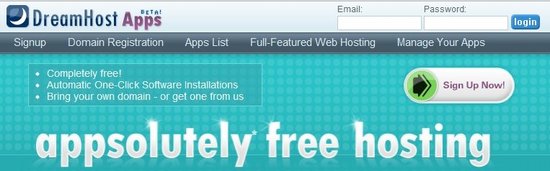
Here are steps to Setup a Free WordPress Blog with Dreamhost:
- Go to Dreamhostapps.com
- Click on the link for “Sign Up Now”
- On the next page, choose if you want to use your own domain, choose a sub-domain, or buy a new domain (new domain is $9.95).
- Then provide the domain name that you are interested in.
- Below that, choose the apps that you want to install. It provides option for WordPress, Drupal, ZenPhoto, phpBB, and mediawiki. If you just want to install WordPress, then remove all other applications.
- One thing that you want to notice in this step is that you want to specify where do you want to install WordPress. By default, it shows blog.yourdomain.com. If the whole purpose of just WordPress blog, then you want to replace “blog” with “www”, so that you can access your blog at yourdomain.com, instead of blog.yourdomain.com.
- After that, you will provide your basic information, like Name, address, login info, etc. It does not asks for any credit card information.
- Once you have done that, it will start setting up your free WordPress blog. It will take a few minutes for the blog to setup.
- Once your WordPress blog is ready, you will get email with your WordPress username and password, and you can use that to enter login area of WordPress.
You can login to admin area of WordPress, and start posting as you would normally do. All for Free!
Here are Limitations of Free WordPress Hosting:
- You can choose from only the themes that are provided by Dreamhostapps. However, they provide a good choice of themes to choose from.
- You cannot install any plugins. You can use only the plugins that it provides. I was surprised that it does not provides any caching plugin. However, if you are just starting a new blog, and do not expect lot of traffic to it initially, you might not need caching.
- It does not provides a direct way to download your WordPress data in case you want to move to some other provider. You will have to get in touch with Dreamhostapps support for that. It does makes it quite simple to upgrade to paid hosting in Dreamhost itself (if you do decide to upgrade, you can use coupon code ILOVE75 to get $75 off on Dreamhost).
This free WordPress hosting is pretty good if you are starting a new blog, and are not sure if you will be able to earn lot of money from it. Once your blog grows, you can move to a full fledged web host like, Hostgator, or InMotionHosting.
