Talking Caller ID Calls & SMS is a free Android app to make the Android speak caller ID during calls and SMS. This Android Talking Caller ID app is a nice app that speaks up the caller name or the message sender name displayed on the caller ID of your Android phone.
The app speaks the displayed caller ID name aloud on Android. If you have received any call or SMS from the contact number which is not saved in the contact book of your Android, then the app speaks up the contact number of caller or sender. This Android Talking Caller ID app runs in the background on your Android.
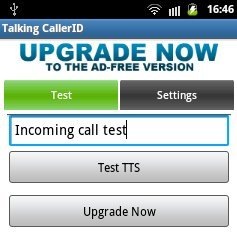
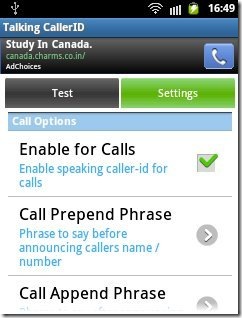
Along with speaking the name of the caller or sender, the app speaks up call Prepend and Append phrase before and after speaking up the caller or sender name displayed on the caller ID. On top of it, you can also select to skip calls or skip messages if you want the app to not speak the caller name or sender name on calls or SMS.
The good part of the app is that, it plays the ringtone along with reading the caller name. If you want to disable ringtone, then you can do that too.
Android Talking Caller ID app is required specially when you are driving and you have kept your Android phone on your car dashboard. The app speaks up the caller name on incoming call. So you can easily decide whether to answer the call or not without looking at the caller ID. Same goes with messages too.
Features Of Android Talking Caller ID App:
- The app speaks up the caller name or sender name displayed on the Android’s caller ID.
- The app runs in the background and activates itself when you receive any call or SMS.
- Add Prepend and Append phrase on calls and SMS.

- Enable/disable the talking caller ID on silent mode.
- Make the speech repeat again and again till the call is answered.
- Type any text and test the app.
- Skip calls or SMS whichever you want.
- Speaks up unknown contacts too.
- Mute/Unmute ringtone.
Install Talking Caller ID Calls & SMS:
Download and install Talking Caller ID Calls & SMS app from here or scan the QR Code below.

Android Talking Caller ID makes your work easier by telling you caller or sender name aloud. Now, pick only the desired calls without looking at the caller ID of your Android. The app makes it possible for you to drive safe without looking at the caller ID and attending the desired calls.
You can also check out similar Talking Caller ID app for Android. Also, check out HD Caller ID app for Android.
