KCleaner is free hard drive cleaner that cleans your system of unwanted files or temporary files. KCleaner can delete temporary files and delete useless files. KCleaner securely deletes data, so that it is difficult to recover deleted files. It is a small application that keeps your system clean of all unwanted or unneeded data.
KCleaner is an easy to use software program that will leave your system free of unwanted or unneeded files and will help to improve performance of hard drive. There are two interface modes for this program which are automatic and manual. No matter which one is chosen, you will be able to remove files quickly and cleanly.
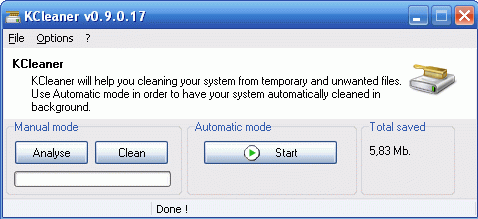
This free disk cleaning software works quickly and securely to delete all unwanted files from your hard drive. Any files deleted can be seen in the panel entitled “Settings”. You choose what you want erased or not erased. This software has support for 21 languages and it is easy to work with as well as install. This is a great program to help your computer run quicker by securely deleting all temporary files. It also provides you with log of deletions so that you can see what has been deleted from your hard drive.
Other free temporary file removers include: CleanAfterMe, CCleaner, Hard Drive Powerwash, and Baku.
Using this program is easy. Simply click on the download link and wait for the program to be installed on your computer. Then double click the icon to install the program. To run it, simply double click on the program icon and the program will load quickly. This program is compatible with Windows NT, Me, 98, 95, Server 2008, 2000, 2003, Vista, 7, and XP. So there is a wide variety of OS that you can use this particular program with. No matter what OS you choose this program will work nicely to get your system clear of unwanted or unneeded files to help your computer run better.
Some of the features of KCleaner:
- Securely erase files
- Log deletions
- Scramble file names
- Schedule cleaning sessions
- Delete temporary data
- Expert Mode
- International support
KCleaner is an easy to use program to remove temporary files from your computer, and increase available hard drive space, and improve system performance. KCleaner is completely free.
