Media Player Hotkeys (MPH) is a simple plugin which helps you to multitask while you use other applications along with the media player. It is available for free and is far more efficient than any other option available. This software is specially designed to control various media players. At the time you use Windows Media Player along with other applications on your computer, Media Player Hotkey would help you switch across programs and manage them with ease. It helps you to add global keyboard software which allows you to control your Media player even when it is not in focus. With Media Player Hotkey, you can control all the audio and video settings for your player as well. Some of the actions of the Media Player Hotkey are Play, Stop, Pause, increasing or decreasing the Volume, Show Pop-up menu, etc. You can set as many hotkeys for different types of actions.
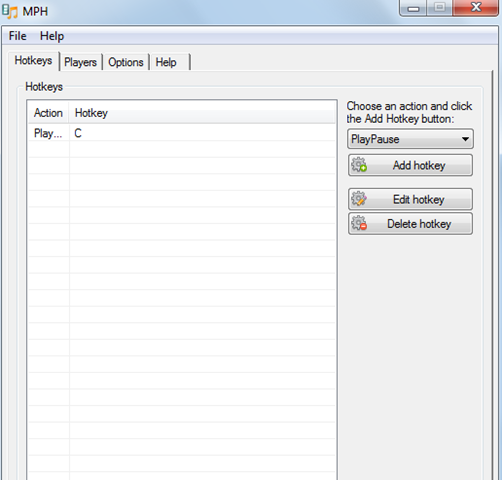
Installing Media Player Hotkeys
Installation of this program is as simple as it could be. By visiting here you can download the software and it wont take much time to get downloaded on your system. When you are on the site just click on the Download option and the .rar file gets downloaded. Once the zipped file is there just open it and click on the MPH icon and start using the software. If you are interested to try other simple hotkey apps, you can try ActiveHotkeys, HotKeyMan and Signo.
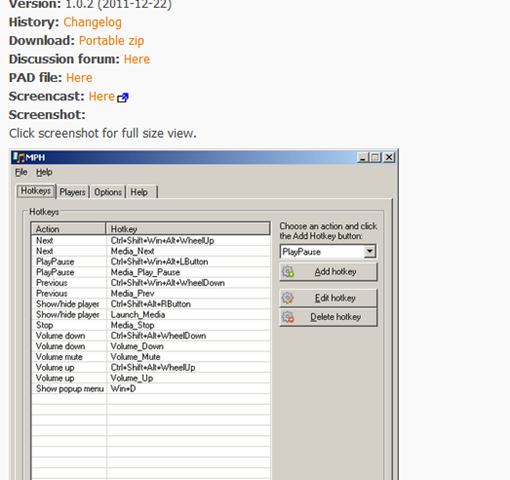
How to control various media players using Media Player Hotkeys
Media Player Hotkeys is a very flexible hotkey system and you can even use the mouse button or the mouse wheel to use it. It supports around 19 files which include Media Player Classic, Quintessential Media Player, VLC, KMPlayer, Winamp, Windows Media Player and more
It is quite hard to mute or make other changes in the media player while it’s playing. But Media Player Hotkeys makes the job simple to set up the commands and use them as per your requirements.
The best part about these commands is that you can use them along with other applications. When you download the Hotkeys software you can start using it as soon as the installation process is finished.
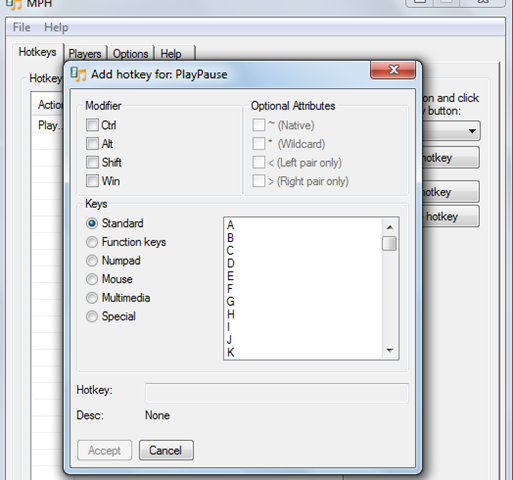
After you open the software a small window pops up where you are presented with numerous options on the right and at the top. In order for you to start using the software you need to highlight the Hotkeys tab, then select the media player action from the dropdown list present on the right. After this click on the Add Hotkey and to add the key as per your requirements. While you set up a hotkey just make sure that the other program doesn’t require it and click on accept to complete the set up. You need to repeat the steps 2-3 until you have completed setting all the hotkeys.
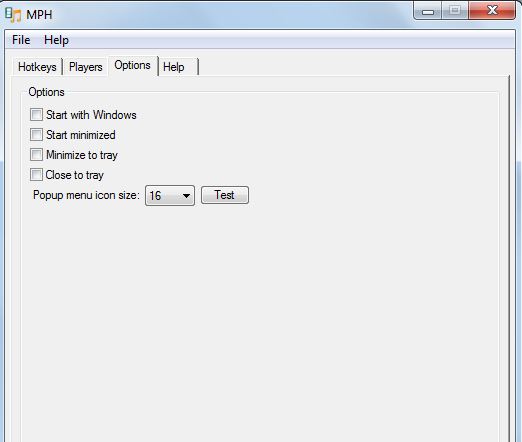
When you complete setting up the hot keys just select the best option suitable to you. You can either select “Start with Windows” if you want it to run all the time or select “minimize to tray” to keep it out of sight. Media Player Hotkeys is a great software for those who want to do things using shortcuts.
