PDEedit is free PDF editor for Windows, UNIX, Cygwin like operating system. The software is to edit PDF files. This free pdf editor is open source and very lightweight to download. It includes PDF manipulation library based on xPDF, GUI, and set of command line tools. This free pdf editor is much more advanced than others like PDFRider, or Online PDF Editor.
The program consists of a set of tools that lets you edit the content of PDF documents. You can now edit the entire PDF document using this free tool. This includes changing raw objects and using many advanced GUI functions. And the great part is you can further extend its functionality using ECMAScript, which is a scripting language.
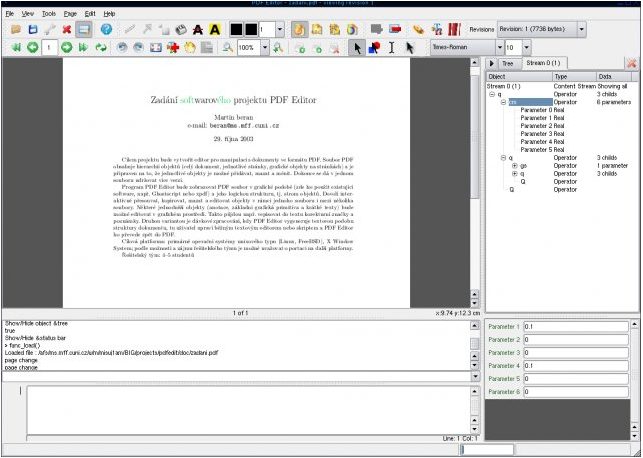
You can download the scripts library from its online library section, which will automatically be loaded to your application once you restart the editor. PDFEdit GUI is based on Qt3 toolkit and a QSA scripting engine, hence, every command is scriptable. Plus, some of the part of this free PDF Editor is based on command line, so you can also manipulate your PDF documents through the command line interface. Moreover, there’s a help library available that will help you with examples if you get stuck anywhere.
Since the entire application is based on scripting library, the multi platform library works well on UNIX, Windows 32/64 bit and others. You can perform various editing functions like read, edit, and extract information from the PDF file based upon xPDF library. The interesting this free PDF Editor is, it has unlimited functionality. You are provided with scripting library and tools along with step by step guide and hints. You can add much functionality to the application by following and adding scripts.
PDFEdit interface is based on QT3.x which heavily depends upon scripting. This gives you mode to extend your scripts and plugins to modify and alter their behavior.
Open dialogs.qs, which resides in your install directory. Add the function that you name the script with for calling, to the end (optionally write a comment describing the function in doxygen-like style to add the function in command line documentation which is automatically generated) and save the file.
Then after either restarting the application or reloading the script file calling in command line
we can manually call the function from the command line.
Any person conversant with the scripting language and computer knowledge would be able to enhance this PDF editor easily and enhance the program as much as you like.
