Redimensionneur is a free simple photo editing software that allows user to resize images, add customized watermarks and create thumbnails in a very simple way. This photo editing software also allows for image format conversion. This photo editing software supports almost all major image formats, image formats supported include BMP,JPG and PNG.
Features Of This Photo Editing Software:
Redimensionneur features include,
- Compatibility with most Windows operating systems
- Support for the most common image file formats
- Ability to add customized watermarks
- Support for both English and French
Also, check out some other best free photo editing software.
How To Use This Photo Editing Software:
The interface is intuitive and very simple. The interface consists of the typical menu bar at the top, file list in the middle and program controls below it. The interface can be resized but needs quite some work as the section below the file list shifts unexpectedly to the left leaving quite a large empty space.
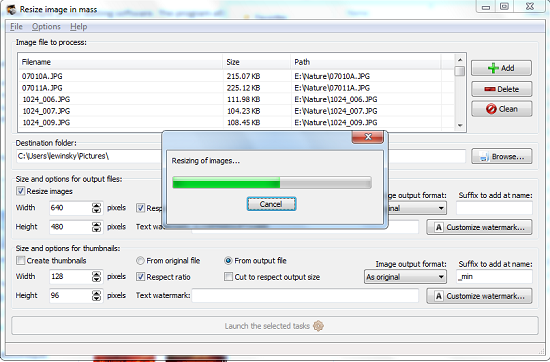
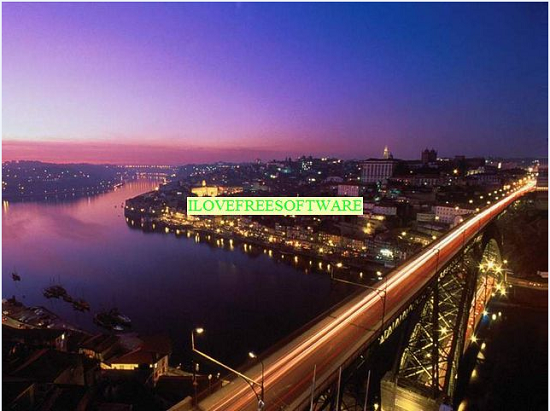
Image files can be added to the list using the Add button. The Delete button removes files from the list one by one while the Clean button removes all files in the list in one go. You are required to enter a destination folder where all files that have been converted are to be stored. Once you have added the files you wish to manipulate, you may continue to select tasks you want to perform on them. The first section of controls contains size and output options. From this section users can choose to resize images, choose to keep image aspect ratio, choose image formats and choose desired sizes. You can also set a suffix to be added to the image filenames. Watermark text can be entered in the watermark text field. You can customize watermark font, font size, font colour, font style and set the specific position the watermark should appear on all images.
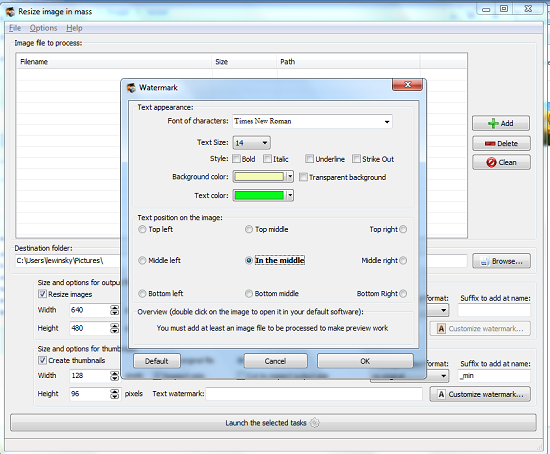
The second section of the interface is similar to the first in functionality. The only difference is that it is used to create thumbnails for listed images. To create thumbnails for listed images you need to check the Create Thumbnails checkbox. You can choose to create thumbnails from either the original file or from the output file which may have already been resized and or watermarked. Once you have finished setting up the tasks to be performed, start conversion by clicking the large Launch selected tasks button.
Hot keys are pre-set for all options on the File menu. The Options menu includes most program settings. You can change the language, check for updates, choose whether to enter file details into the log and choose which action to take once conversion is complete. Help is available via tutorials on the publisher’s website.
You would also like to check out Photofiltre reviewed by us.
Opinion
Simple and very easy to use interface. This Photo editing software works perfectly and consumes very minimal resources. Apart from the awkward interface when resized to full screen, I could not find any other issue with the software.
Verdict
Redimensionneur is a simple yet superb and handy tool that is ideal for anyone looking to create a photo gallery.
