Easy Filter is a free call blocker application for Android that provides a way to block unwanted calls and block SMS right from your Android phone. This free call blocker gives you a complete control over incoming calls and SMS. You can block unwanted calls and also block unwanted SMS on any annoying number.
In addition, this free Android call blocker also gives you the authority to choose from among multiple options such as block the block list, block all incoming numbers, block none, block only contacts and the like.

Many a times there comes a situation when you don’t want the call from some particular numbers to land on your smartphone. This call blocker for Android is a perfect solution in this regard. You can also set this call blocker application in “Response with SMS” mode. In this mode, when you block SMS or an incoming call of a particular number. It sends back a text message, written by you automatically to the person who is trying to call you or SMS you. This is an awesome application that slows down the unwanted calls and SMS traffic on your Android device.
If you access Twitter regularly, do not miss to check our post on Block unwanted Twitter Follows.
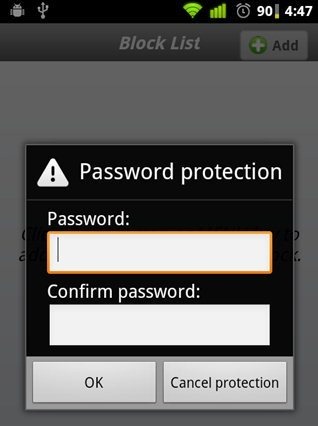
In Addition, once you have saved the block list, no other person can then change the block list as the option in the app is password protected.
Some Key Features Of this Call Blocker & SMS Blocker:
-
You can block unwanted calls and also block unwanted SMS on your smartphone.
-
Gives you multiple options to select the number to block such as block the block list, block all incoming numbers, block none, block only contacts and many more.
-
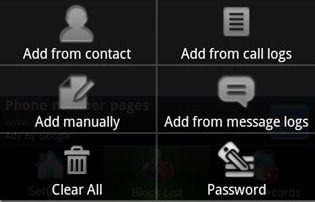
Password protected block list and block names.
-
Set automatic message for every blocked number.
-
Set hang up mode such as end call, turn silence, once connected and it will work accordingly.
-
Option to put notification sound on or off.
- You can also send invitation to friends via Facebook, Email, Bluetooth and many more.
Check out more Android Apps reviewed by us.
How To Install this block unwanted calls App:
-
Just login to “Android Market” or scan the QR Code below.

-
Click on “Search”. Type “Easy Filter” in search tab.
-
Click on “Easy Filter”.
-
Click on “Install”.

Easy Filter is a good utility call blocker & SMS blocker App for Android. Go ahead, install this Android Call Blocker or SMS Blocker today. Block unwanted calls and only receive the calls you want with this awesome app.
