ImgBurn is a free CD/DVD burner that lets you easily burn files to a CD or DVD. It’s an easy to use application that supports most of the modern CD/DVD writers and performs quick burning. The tool is developed specifically to burn images to discs, including CD, DVD, HD DVD, and Blu-ray. It provides several advanced features for burning DVD video discs. It does the job well, and is totally free.
ImgBurn supports lot image file formats – including BIN, CUE, CCD, CDI, DI, DVD, IMG, GI, ISO, NRG, MDS, and PDI. It supports all latest drivers and unicode file/folder names. This saves you from running into problems if you are using international character set.
ImgBurn can burn Audio CDs from any media file format supported via ACM/DirectShow – including APE, AAC, M4A, FLAC, MP4, MP3, OGG, MPC, WAV, PCM, WMA, and WV. Plus, it can be used to create DVD discs, CD, HD-DVD, and even Blu-Ray with ease.
You can download ImgBurn free of cost using the link given at the end of this article. Be careful while installing the application, since it bundles many adware and third party software within the installation package.
Burning CD with this free CD/DVD Burner:
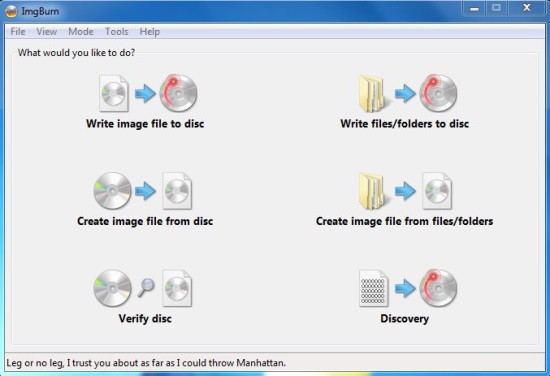
ImgBurn comes with a user friendly interface that allows you to easily choose the task you want to perform. You can write image file to disc, write files or folders to disc, create an image file from disc, create an image file from files or folders, verify if a disc is 100% readable, or analyze the data captured during the burning process.
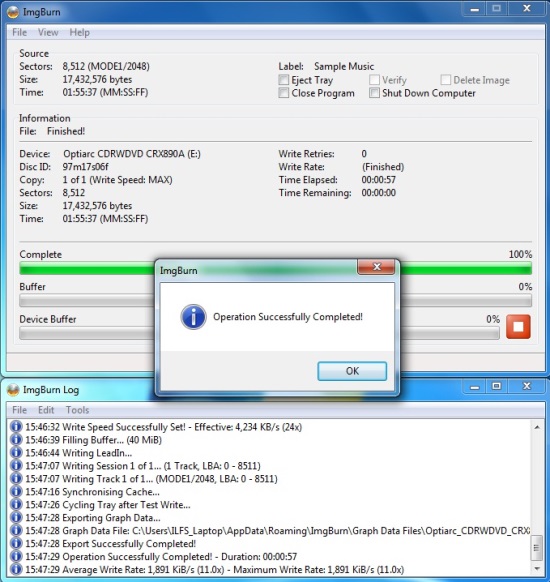
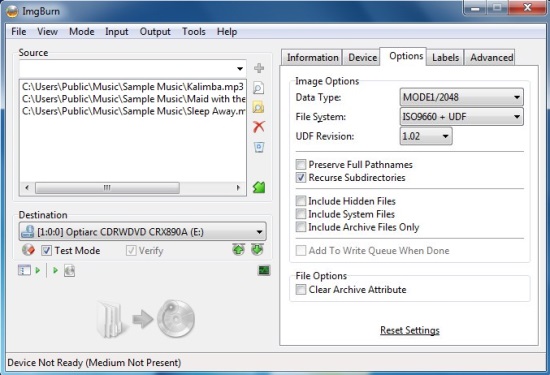
Based on the selected option, you will be presented with a list of settings which you can either configure to adjust the quality of output or leave as it is. Finally pressing the Build icon will start the burning process and once it finishes, you will see a success message on your desktop screen.
Key Features of ImgBurn:
- Free CD/DVD Burner to burn images, files/folders to CD, DVD, HD DVD, Blu-ray.
- Available in different languages.
- Easy to use.
- Lot of setting options to meet specific requirements.

- Supports lot of image file formats.
- Queue burning tasks.
- Integrated sector viewer.
- Multiple read/write capabilities.
- Can create CUE/DVD/MDS files.
- Automatic write speed feature.
- Displays graph data.
- Supports lot of media file formats for burning Audio CDs.
- Displays log report.
Also check out Ashampoo Burning Studio 2013, Astroburn Lite, and CBurner.
The Final Verdict:
ImgBurn is a handy CD/DVD burner to burn CDs, DVDs on your system. It can easily read disc to an image file, create image files from files or folders stored on your system, or burn these files to discs. However, it still lacks some good features which its competitor software provides. Download free and give it a try.
