Toolwiz Smart Defrag is a free system Defragmenter which analyses and defragments the fragmented files on your PC smartly and effectively. After analysing the files it detects the discontinuous files. It then rectifies these files by putting them in a continuous disk space area.
Disk Fragmentation is often the root cause of slow PC performance. Windows System is always provided with an inbuilt defragmentor. However, it’s too slow and inefficient! Toolwiz Smart Defrag is at least ten times faster than the normal Windows defragmenter software. It does not require the support of file system for analyzing.
Features Of This System Defragmenter:
- Extremely quick, analyses the entire disk space within seconds.
- It not only analyses the entire system, but also repairs the problems with your file directory.
- The interface is neatly designed and very simple to use.
- Unlike other defragmentation software, it is available for free.
Also, check out Puran Defrag reviewed by us.
Interface And Working Of This System Defragmenter:
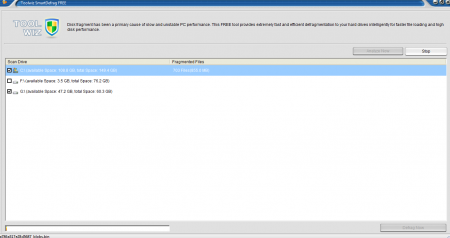
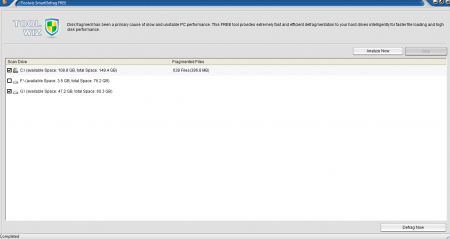
The interface design is probably the simplest for any Windows defragmenting software. After executing the application, the interface opens. It’s a plain dialog box which lists all your hard drives and has two additional tabs. There is only one option of analyzing any hard drive that you may select. You can select multiple hard drives and analyze them simultaneously.
The process of analyzing occurs within seconds of clicking the tab. There is an option of stopping the process. After getting with the analysis you can defragment the files. The process takes a little longer time, as files need to be rectified and put up in continuous memory segments.
Downloading and Installation Of This System Defragmenter:
I downloaded the software and it took hardly 800 KB space. The installation was rapid too! No issues and bugs were detected during the working of the Software.
You would also like to check out free software to defragment hard drive.
The Final Verdict
Toolwiz Smart Defrag is very simple to use and is extremely reliable. This system defragmenter is a far more convenient option for analyzing and defragmenting than the default Windows Version. Its quick, its effective and takes up very little space. So if you want to keep your system well maintained go for Toolwiz Smart Defrag.
