Compare Advance is a specialized and free software, which can be used for folder comparison or for creating backup copies of your data. You can even use this folder comparison software for synchronizing that backup data with the original one. This folder comparison software is multi-functional and easy to use, so the new users won’t face a trouble in software usage or navigation. With the help of this free folder comparison software, you can easily sync files between desktop computers and laptop computers. Back up all important files stored on your PC to a destination of your choice.
Downloading and Installation Of This Folder Comparison Software:
This folder comparison software has a size of about 3 MB and can be downloaded from the BauerApps website or from the various download portals available. The installation process is lightening quick and the software had no issues while running.
Interface And Working Of This Folder Comparison Software:
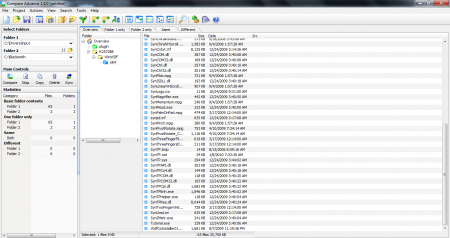
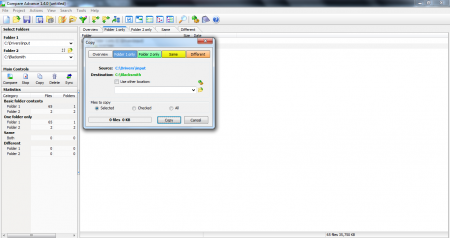
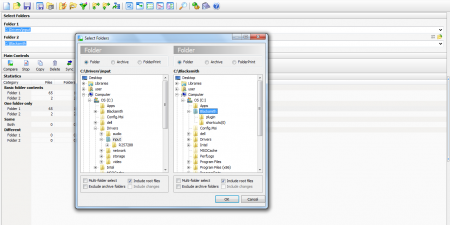
The interface is fairly simple and it was not difficult to comprehend the working of the software, in the very first attempt! I had to compare the two folders and after selecting the two, the software compared the data usage of the two folders. Options of deleting, copying or synchronizing the data in the two folders are present. Not only folders, you can compare files present in these folders too! A unique color coding technique is used to highlight the difference between the files and folders. The results could be viewed in three modes. List View Mode, Tree View Mode and Explorer View Mode.
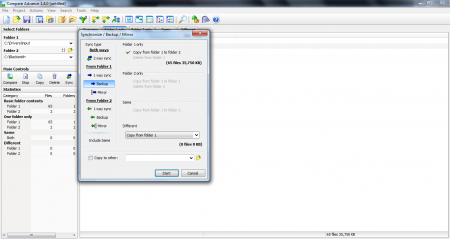
Synchronizing feature is the asset of this software. Many a times, consistency goes missing in the synchronization process. If an update is made to an original folder, the same update must be made in the backup folder too, for maintaining consistency! Compare Advance checks for the similarities between the two folders using the advanced synchronization settings tab and then backs up the data accordingly.
Another feature is that of Archived files and folders. Compare Advance allows you to save the contents of Archived files, by displaying the additional modifications which may have been made. This saves a lot of disk space, as backing up of both, Archived files and Folders is not needed. Also, check out FreeFileSync reviewed by us.
Pros and Cons Of This Folder Comparison Software:
The strengths of the Software are obviously its ability to compare the two folders, list out the differences, detailed file information on both the folders, Synchronizing the folders and maintaining consistency. If you want to compare folders, copy the contents, delete the files which are redundant between two folders, there is not a better software than Compare Advance.
Though there is no evident flip side, the only major flaw being that the software cannot compare drives. It can be used to compare folders and to a certain extent files, but drives cannot be compared. However, that’s not within the scope of the software, so it would be slightly unjust to call this a negative aspect. You would also like to check out WinMerge reviewed by us.
Our Verdict:
Compare Advance is really good and delivers excellence in folder comparison as well as backup creation tasks. It performs exceedingly well in comparing folders and the various tasks, that may be associated with it. Try Compare Advance for free.
