FreeFixer is a totally free removal tool which allows you to remove unwanted software such as Malware, Trojans, virus, etc from your system. This removal tool basically scans several locations where unwanted software leave their traces. It shows you the scan results, so you can choose the software which you wish to remove from the scan list.
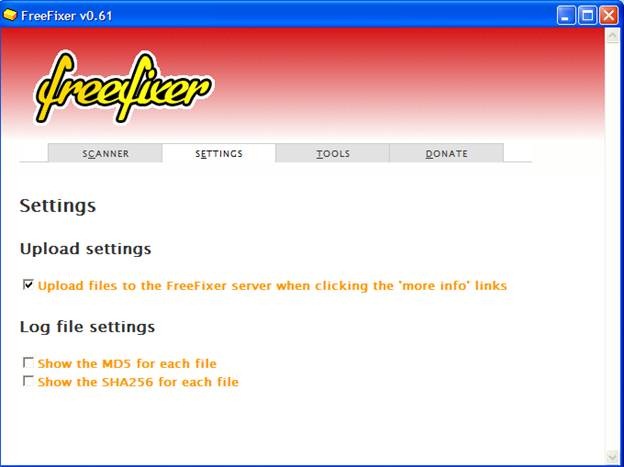
We don’t realize that our system is corrupted with dangerous software programs that get added to our system from the internet. After using the system for a while, we come to know that the speed of the system has decreased tremendously. In this type of scenario, FreeFixer can offer a great help. Below I am going to introduce you to the world of FreeFixer for your help. For Removing Malware, you can even use RKill reviewed by us.
Downloading Of This Removal Tool:
You can download this software from the website of the FreeFixer. This software works only on Windows platform, which I feel is bit disappointing. The latest version which I downloaded is 0.61. Earlier versions of FreeFixer only supported Windows 32-bit, but this problem was rectified, and now 64-bit Windows is also supported. The size of the file is about 2MB, and you don’t need to restart your operating system to make it fully functional.
Installation Of This Removal Tool:
Like any other Windows based software, the installation process is simple and easy. I use AMD Sempron processor (Windows XP Professional) with 980MB of RAM, and it runs quite fine on my system.
Features Of This Removal Tool:
- The main feature of this software is to scan the system for any unwanted software and to delete it.
- The user interface of this software is very simple.
- The size of the software is very small.
- If you scan your system then all the important files such as boot files, dll files, registry, browser cookies etc are going to be scanned.
- If there is any kind of harmful software present then you will get an alert message on your screen.
- There are certain files in Windows, which don’t get deleted that easily, this software can help you to achieve this by specifying, their particular path and the rest will be taken care by the FreeFixer.
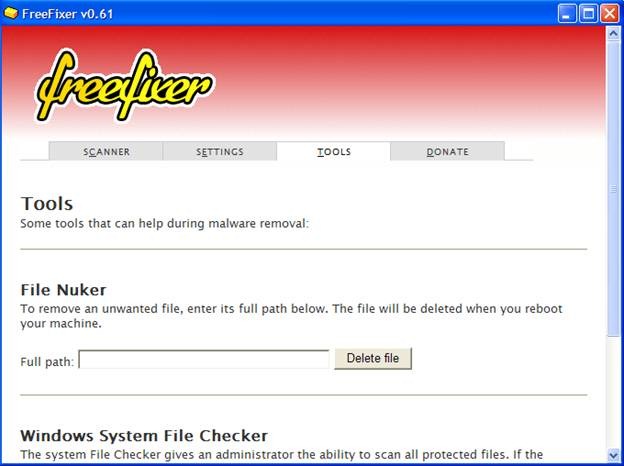
If any of the system files gets deleted then FreeFixer won’t be responsible for it. This is also applied to any such files, which are detected as malwares or adware and you delete it unknowingly. So be very careful before deleting files. Another great thing about this software is the ability to display checksum files of the scanned objects, which is very helpful.
Performance:
FreeFixer in my system takes about 2MB space which is nothing compared to other installed software. The software is very fast. I really enjoyed using this software but this software is for users, who have got a little bit of idea about using this kind of removal software. In other words, person with knowledge about the system files should use this software. But if you haven’t used this kind of software earlier, then it is better to read the online help files before using it. You would also like to check out Avert reviewed by us.
Conclusion:
To conclude, this is a removal tool with high performance and it is able to detect all kinds of Trojans, malwares and adware, which is amazing considering the fact that it is a free software. Visit the homepage of FreeFixer to download.
