IM+ is a free Android app for instant messaging on Android. IM+ is really a very intelligent app in Android Market for instant messaging on Android. This Android app provides multiple options for instant messaging in a comfortable way on Android.
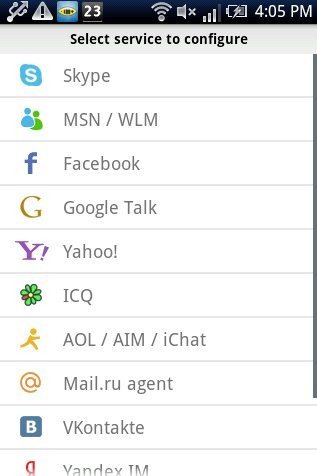
IM+ app allows you to connect to multiple online services for instant messaging on Android. Also, this app is the only app I found in Android Market which allows you to connect to so many online services on Android. Online service in IM+ includes Skype, MSN, Facebook, Google Talk, Yahoo, ICQ, Jabber, MYSpace and much more.

The interface provided by IM+ app looks great on Android. You can easily login to any online service and chat with friends and others when they are online. All the options in the app are very well-organized.
As soon as you start with the app, just login to any online service like Skype, MSN, Facebook, Google Talk, Yahoo, ICQ, Jabber, MYSpace and the like. You can add as many accounts as you want.
The app will automatically sync your contacts of each IM service added and the app will display the contacts separately in contact list. You can see all online friends and send instant messages to them from within the app. Also , the app provides notification for each message received from any online service added.
I tried synchronizing the contacts of my Android phone for mobile to mobile messaging, but I didn’t find the option to do the same. If any one of you find how to sync phone contacts with IM+, then lets us know about the same. Apart from this, IM+ is one of the best app for instant messaging on Android.
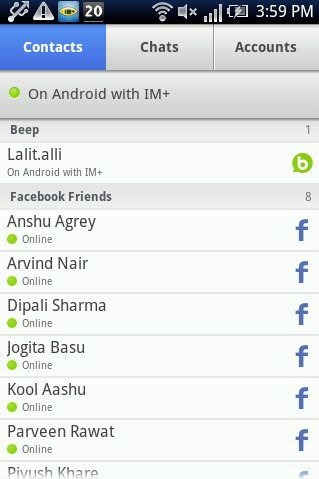
Some Key Features Of IM+ App For Instant Messaging On Android:
- You can send instant messages with IM+ app on Android.
- The interface provided by the app looks real on Android as all the options are very well-organized.
- You can add multiple online services which includes Skype, MSN, Facebook, Google Talk, Yahoo, ICQ, Jabber, MYSpace and much more.

- The app sync all the contacts automatically from each services added.
- You can send pictures, audio or any text message from within the app.
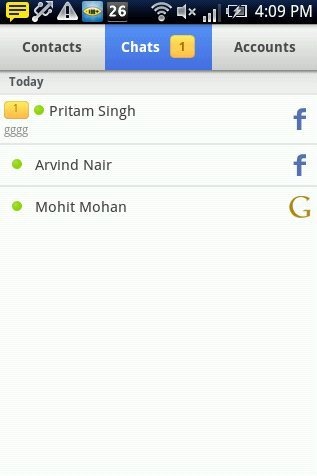
- You can view all your chats separately from within the app.
- Invite friends to IM+ from your Android.
- Change your status from and edit it from within the app.
Also, check out Go SMS Pro app for Android reviewed by us.
How To Install IM+ App On Android:
- Scan the QR Code or login to Android Market.

- Search for IM+ app from Android Market.
- Tap on “IM+” app from the searched results.
- Tap on “Install”.

The free IM+ app will be automatically installed. Install this great app today on your smart phones and send messages online. Login to your multiple online services and manage them all together on your Android in one go. Make your work easier on Android with IM+ app.
