Androidify is a free Android app to customize little green Android robot icon on Android. Androidify lets you make Android robot icon colorful and customize it by adding multiple effects to it.
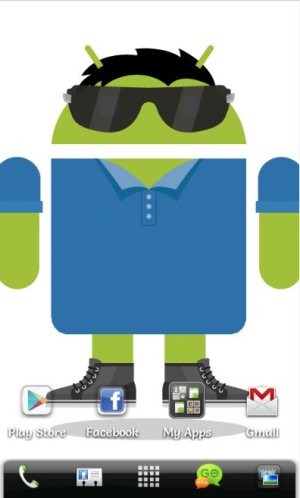
This Android robot app comes up with multiple effects to add which includes multiple robot colors to add, mustaches, spectacles, hairstyles, hair colors, upper wears, lower wears, shoes styles, and multiple hat styles. After applying the effects, you can easily save and share the changed robot style. You can even set the customized robot as your Android wallpaper.

The good part of this Android robot app is its size customizing option on Android. You can increase or decrease the size of the robot which includes changing the size of its face, size of legs, and size of the hands.
Also, Androidify offers high-definition images of robots on Android. The app works very much like photo editing app for Android.
Key Features Of Android Robot App:
- Customize robot icons on Android.
- The app comes up with multiple effects which include robot colors to add, mustaches, spectacles, hairstyles, hair colors, and many more.
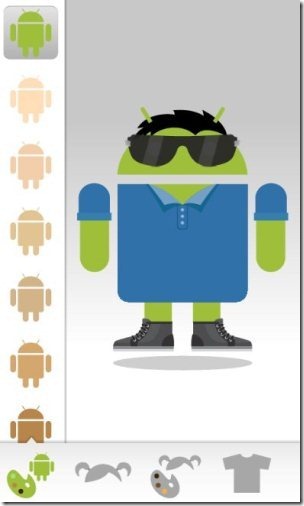
- Androidify works very fast and is very easy to use.
- Offers HD images in the app.
- You can set the customized robot image as your Android wallpaper.

- Save the customized image of robot to SD card.
- Share the robot images via Gmail, Facebook, Dropbox, Bluetooth, Audio Manager and much more.
- View the robot image in full-screen mode on Android.
- Check all the robots randomly from the app.

How To Use Androidify App:
- Launch the app on your Android phone.
- Select the color of robot you want.
- Add your favorite effects to the robot.
- Tap on the menu options to save the customized robot.
Install Androidify App:
Login to Google Play Store and then search for “Androidify” app in Google Play Store. If you have a barcode scanner app, then you can scan the QR code below to directly install Androidify app on your Android phone.

Customize your Android background daily with all new customized Android robots. Play with your Android by exploring your creativity to check how creative you are on your Android.
