Protect Me is a free software to protect your files and folders. Protect Me is a free data protection tool that will allow you to protect your data suing SHA1 for password protection as well as AES for encryption of your data files. This program is compeltely portable.
Update (25-Aug-2012): This software is not available for download from its official website anymore.
ProtectMe works in a very unique way. It protects the files by creating a secure exe file to which you can add any file or folder that you want to protect. This program is easy to use and uses drag and drop to protect all your valuable data files. The process then turns the whole thing into an .exe file. The password protect also protects all the data files from corruption or hacking. This programs requires a .Net 3.0 Framework to work correctly. Another free software that protects data in a unique manner is Virtual Disk Utility.
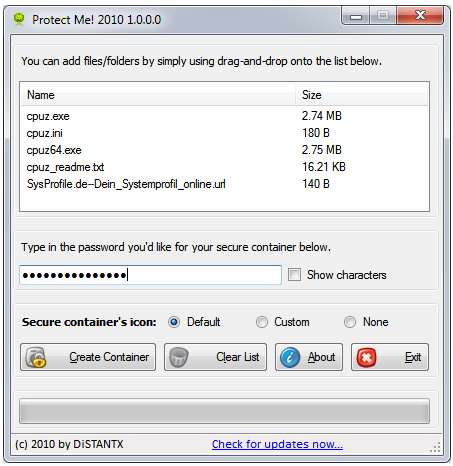
Protect Me is the latest free software protection and encryption software that can be used specifically in public places as well as on a private computer. Making sure that your data is always secure is important and this program works by turning data files into .exe files using a drag and drop technique. This program also uses containers to protect the data files selected and password protects the data files for added security. This is a quick download that allows for quick installation and execution of the program to secure your data.
Simply install Protect Me by clicking on the .Exe file to launch the program. You will then select files and drop them into a container for protection. The password protect program will ask you for a password. Then by clicking “Container Create” the process will then store the files as a .exe file. To access the files click on the .exe file and enter password. You also have the option of either saving or extracting the files in question. By clicking run, you can also preview a particular file. You have to have .Net Framework 3.0 for this portable application.
Features of Protect Me:
- Password protection
- Drag and drop file creation
- Container save for .Exe file
- Run to preview files
- Extraction and saving files for extraction
- Easy view of contents
Some other file encryption software that can you can also try are: My Lockbox, Rohos Mini Drive, and Easy Encrypt.
