Driver Genius is a free software to detect outdated drivers on PC. This driver scanner is a nice and simple tool for your PC to find right drivers for your PC. Driver Genius is totally a free software, but if you want to download the drivers, then you need to pay for the same. Or, you can just search for the missing drivers on Google, and download them for free.
Driver genius is quite fast and performs the fast scan and quickly lists all the outdated drivers. The good part of this driver scanner software is its categorized list. All the outdated drivers are categorized according to their functionality. For e.g., all the outdated sound drivers will be in audio drivers category, network drivers in Ethernet controller, Chipset driver in Chipset device software, and the like. In short, the tool displays the list of all the drivers in their driver package category.
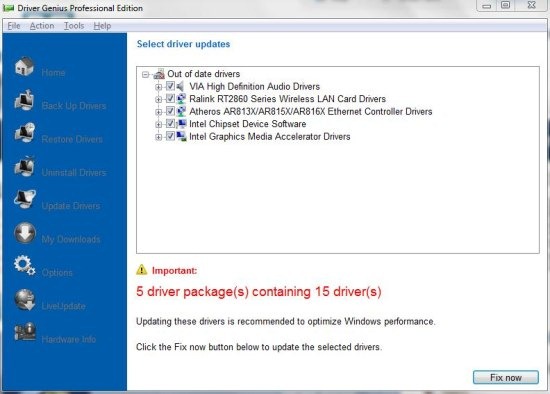
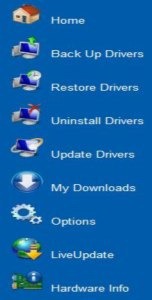
Apart from scanning the hardware and finding the appropriate drivers, Driver Genius also provides other smart options too. You can easily backup drivers, restore drivers, uninstall drivers, update drivers, and much more. The interface is designed in such a way that it becomes easy to use the software. Check the device diagnostics and manage them without accessing device manager on your computer.
How To Use Driver Genius:
Step 1: Download and install Driver Genius on your PC.
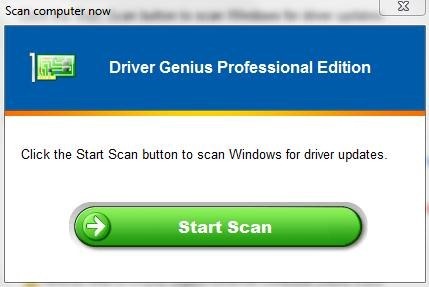
Step 2: Launch the software and then run hardware scan to detect outdated drivers.
Step 3: After scan completes, you will see outdated driver packages with list of all the drivers.
Step 4: Click on the driver and then click on “Fix now” option to download the driver. Downloading the driver with the help of Driver Genius software is paid.
Step 5: You can search for the free version of the driver software on Google or any other search engine.
Step 6: Install the driver software and make your PC performance better.
Features Of Driver Genius:
- Scan your computer hardware and find the appropriate driver supported by your system hardware.
- Download selected driver of your choice with the help of the software itself. (Paid Drivers)
- Displays the name and series of the driver supported.
- Displays total number of outdated drivers.
- Backup, restore, and uninstall drivers.

- Adjust the font size of the software.
- Check your full hardware information.
- Manage device diagnostics without opening device manager.
Driver Genius makes it easy for you to get the right drivers for your PC and install them for betterment. Driver Genius is a good software, but then I recommend you to download and install Driver Easy, one of the best software to find right driver and download them in an easy way on your PC.
You can also check out Uniblue DriverScanner for PC.
If you find any other driver scanner software, then let us know in comments below.
