Color Touch Effects is a free Android app to edit photos on Android. This photo editor app is a very unique app in Android Market to edit photos in a different style on Android. You can edit photos in different multiple styles on Android. This photo editor app works with the touch effect on Android. Just touch the photo and give multiple awesome effects to a photo on Android. All the options and effects provided in the app are very easy to understand.

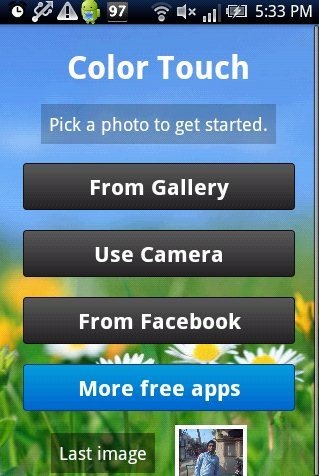
Color Touch Effects app is quite simple app on Android to edit photos in one go on Android. You can import a photo from your phone’s gallery or from your Facebook account. This photo editor app even allows you to take a pic from your device camera and give effects to that photo in real-time.
You don’t need any sign-up to get started with the app. Just install the app, import a photo from your phone’s gallery, camera or from your Facebook account and give different touch effects to that photo. Also, you can save and share the photo directly from the app.
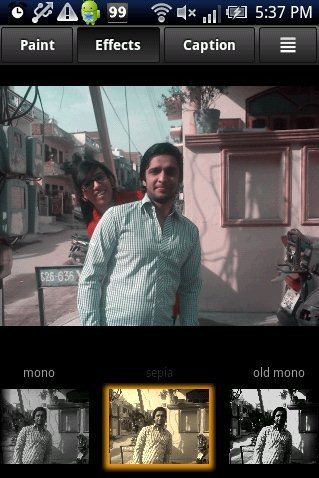
This photo editor app includes multiple photo effects like mono, sepia, old mono, infrared, auto contrast and much more. Color Touch Effects is a simple yet useful app on Android.
You can also check out Lightbox Photos app to edit photos on Android reviewed by us.
Some Key Features Of Color Touch Photo Editor App:
- You can edit photos in an easy way on Android.
- The interface provided by the app is very simple.
- The app provides multiple photo effects to edit photos on Android.
- You can move the photo and delete the unwanted photo part from the app.
- You can edit photos by touch effect from the app.
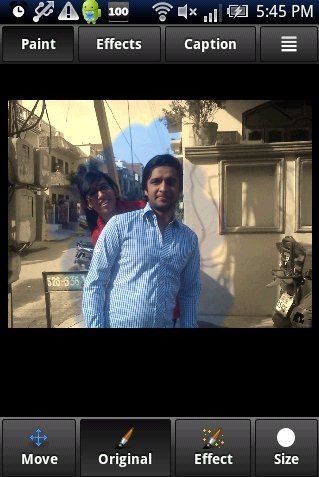
- You can adjust the size of the pen to paint the photo on Android.
- Add captions to the photo from the app.
- You can save and share the photo directly from the app.
Also, check out PicsArt Photo Studio app for Android reviewed by us.
How To Install Color Touch Effects App On Android:
- Use your barcode scanner app and Scan the QR Code below.

- Another way to download is by going to the Android Market.
- Then tap on Search option.
- Search for “Color Touch Effects”.
- Then click on install button to install the app.
The free Color Touch Effects app will be automatically installed. If you want to edit your photos in a simple way, then there is nothing better than this photo editor app for Android. Just download and install this smart app today on your smart phone.
