Scan app is a free iPhone app to scan barcodes and QR codes with iPhone and other iOS devices. Scan each product barcode and know its true information right on your iPhone or any other iOS device. This iPhone barcode scanner is dedicated to perfection, as the app is very accurate while scanning any QR code or any barcode with iPhone.
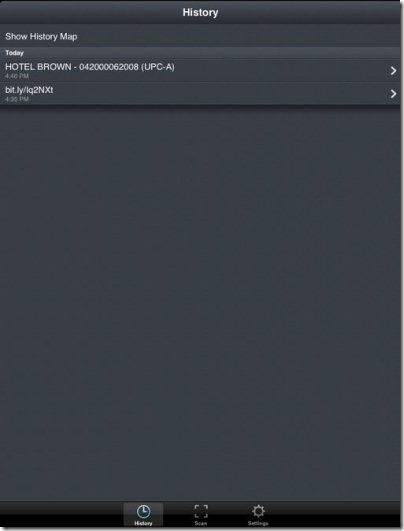
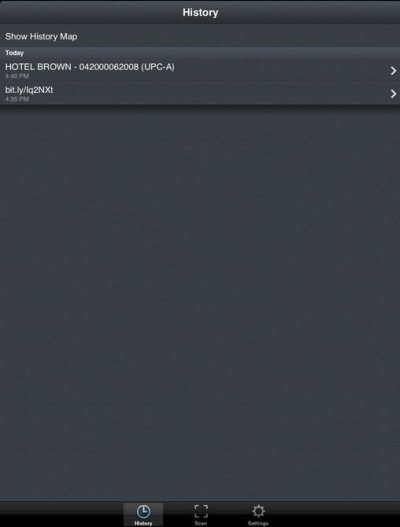
Only scanning the barcode or QR code is not the end part of the app. You can even check the scanned history from within the app. Not only accessing the scanned QR code and Barcode history, you can even launch the information again on your iOS device.
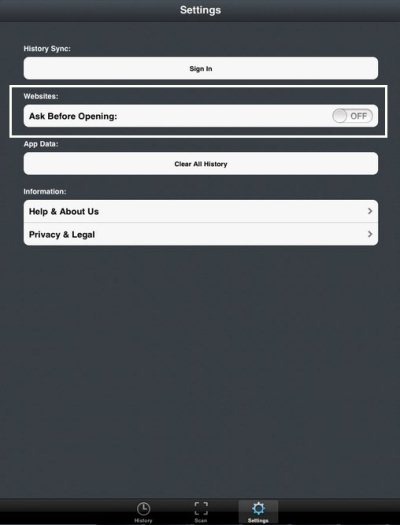
Be it a URL, any contact info, any image, text or any other content. All the content can be easily accessed repeatedly from the scanned history of the app. Most importantly, the scanner is smart enough, that before accessing any URL on its browser, the app takes permission to access it on your iPhone browser.
Key Features Of Scan App To Scan Barcodes And QR Codes:
- Scan Barcodes and QR Codes on your iPhone.
- The interface is easy and simple.
- You can access the scanned history from the app.
- You can sync your scanned history across the web, iPhone, iPad or iPod.
- Smart permission option before accessing any URL after scanning any QR code or Barcode.

- You can even sign-up or sign-in with the app.
Check out Barcode Reader apps for iPhone reviewed by us.
How To Install Scan App On iOS Device:
- Scan the QR Code below with a Barcode Reader app to install the app directly from App Store.

- If you don’t have a Barcode Reader app installed on your iPhone, then search for “Scan” app from app store.
- Install the app on your iPhone.

The free Scan app will be automatically installed on your iPhone. Just scan any QR Code or Barcode smartly with your iPhone. Get accurate or true results right on your iPhone.
