AirDroid is a free Android app to manage and control Android device from a web browser. With this app installed in your phone you can manage Android on a wireless connection. This Android app to control Android from PC works only when both the devices that is your Android phone and PC are working on the same wireless (Wi-Fi) connection. Also this Android app to manage Android is fast that lets you wirelessly manage Android device with easy options.
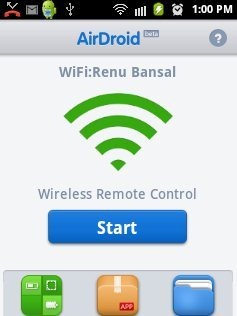
This Android Manager is one of the most installed app by Android users. AirDroid allows you to easily transfer files over Wi-Fi connection. Just install the app, start it, enter the IP address given by the app into the browser on your PC and you are finally ready to manage Android with your PC. This is an awesome app for the Android users who are mostly busy with their work on computer and along with that they instantly want to check notification, messages and the like from their smart phone. With this AirDroid you can easily manage and control Android from PC with a simple wireless connection.
You can check out BlueStacks, Android simulator to run Android apps on windows.
Some Key Features Of AirDroid App To Control Android From PC:
-
You can manage and control your Android right from your PC.
-
Manage Android through a wireless connection (Wi-Fi).
-
Transfer files between computer and Android device on Wi-Fi connection.
-
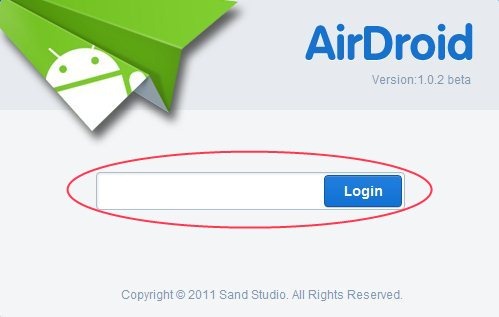
Set the password to get logged in to your phone while accessing apps from PC.
-
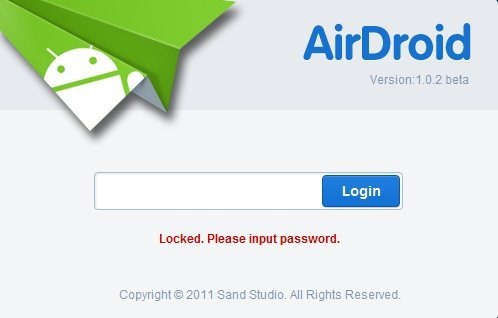
Lock your browser access as it is password protected at the time of leaving the PC. With this nobody can access your phone app and files.
-
Login to Android Market and install the apps from PC to your smart phone through wireless connection.
-
You can compose a new message, add a contact, view your files and many more.
-
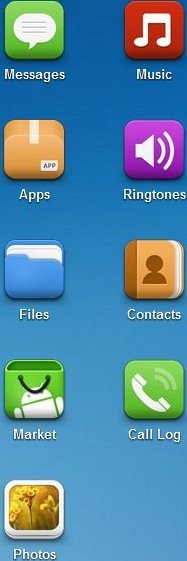
Also you can manage music, ringtones, apps, files, contacts, call log, photos, messages, Android Market and many more from your PC.
-
AirDroid shows the Wi-Fi networks, SIM’s networks and the battery level.
-
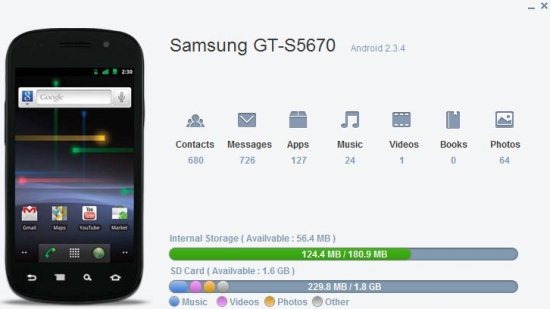
It shows you your phone’s total and used internal/external memory, Android version, Phone’s model number and many more.
-
It also shows the notification right on your PC.
-
You can cut, copy, rename, send/share, delete, sort a folder.
Also check out MobileWitch to remote control your PC with your mobile phone reviewed by us.
How To Install AirDroid App:
-
Just login to “Android Market” or Scan the QR Code below.

-
Click on “Search” tab. Type “AirDroid” in search tab.
-
Click on “AirDroid”.
-
Click on “install”.
The free AirDroid app to control Android from PC will be installed automatically. Now just manage your Android with AirDroid app on PC. Make your smart phone more smart by connecting and managing it with PC. Do multitasking with this intelligent app for Android.
