KVADPhoto+ is a free Windows 8 photo editor app available in the Photo section of Windows 8 Store. Edit your photos and add special effects to your photos with this free photo editor app of Windows 8. This app is so simple that even an amateur can use it. It can also be used by photo editing professionals; who want to add simple effects to their images. You can simply add effects, modify various properties, and save it for future use.
Update (27-May-2014): This app seems to have been renamed to KVADPhoto+. The text and links in the article have been updated to reflect the change. The screenshots are still of the previous app, because the interface of both old and renamed app looks same.
About This Windows 8 Photo Editor App:
There are many famous photo editor apps like Photoshop which adds marvelous effects to your images. But you need to be a professional in photo editing software or get some training for it. Photo Studio comes into picture to rescue you in those situation because it makes photo editing very simple and easy. On top of all that, this app is available for new Windows 8 users like us. So, this Windows 8 photo editor app is useful and easy too. Let’s see it’s features and how to use it.
Features of KVADPhoto+:
The following are the features of this Windows 8 photo editor app:
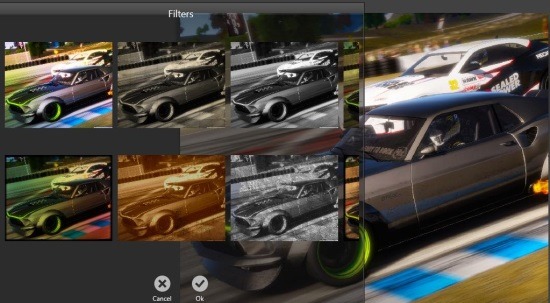
- Add 14 different filter effects to your photo like shown in below screen shot.
- You can choose various frames for your photo.
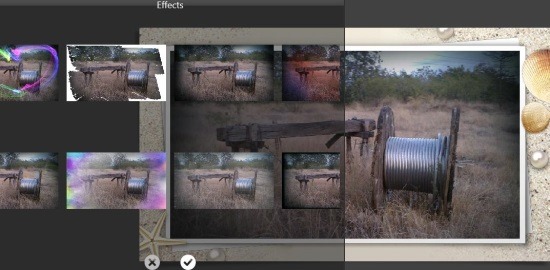
- Add different effects to your photo; like shown in below screenshot.
- You can rotate or crop your images.
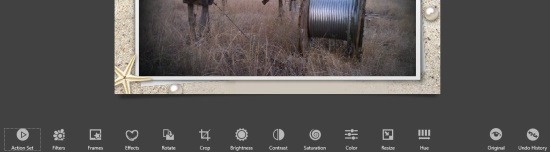
- You can modify the: brightness, contrast, saturation, color effects, and much more.
- You can save the modified image and share it.
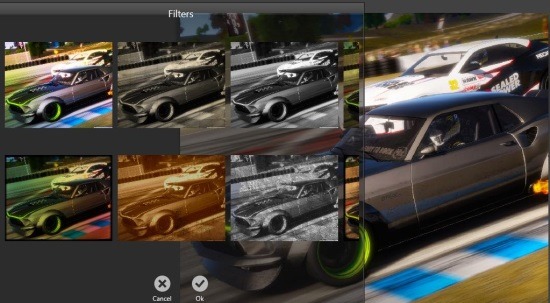

How To Use Photo Studio (or, KVADPhoto+):
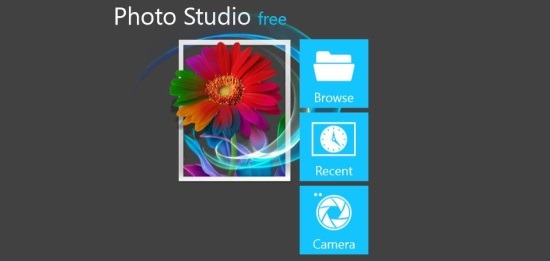
Click here to open the app store page. Then click on View in Windows store, then the app will open in App Store of Windows 8. Click on Install to install the app to your Windows 8. After installation open the app and then you will find the welcome screen to be similar to the first screen shot; displayed above. You can browse the photos from your computer or use recently edited photos or use camera to click a new pic and edit it. Then simply use the options displayed like: filters, frames, effects, rotate, crop, brightness, contrast, saturation, color, resize, hue, and you can also use undo history option to undo the modifications step by step. Then use the Save button to save the images you edited to your KVADGroup Photo Studio folder in Pictures folder.
Below is a picture of image that I modified.

This Windows 8 photo editor app is available for free. Add effects to your images using this simple interface and share it with your friends. You can also try PsykoPaint to modify your photos in your Windows 8.
