Update 2022: This software no longer exists. Try some other alternative now.
Stylish Font Writer is a creative, free font utility which has been built for typing characters in different styles. This program is for all those people who love to have characters in creative styles for using them for their presentations or in projects they prepare. It surely comes in very handy for students and people who need creative fonts for their needs. Users will be able to use different font styles without using any third party app.
Installing this free font utility
The installation procedure of this software is pretty simple. It takes a few seconds depending on the internet connection to be downloaded on your system. After you have the setup file on your computer the next step is to run the installation process. This free font utility requires the .NET framework to be used on a system. Usually Windows XP Service Pack 3 or higher releases by Windows OS is compatible with this software. Just as the installation process completes you are ready to use the application for writing in different font styles by launching it from its shortcut. If you are interested to try some more font utility, you can try Font Viewer, What The Font and WhatFontIs.
Using Stylish Font Writer
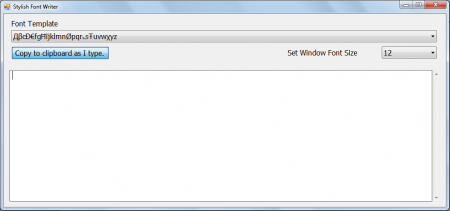
When you launch the application file you would see a simple window appear on your screen. It comes with a plain and simple interface where every option is easily accessible. By looking at the window itself you would know which option or space is for which operation. The 1st section at the top has a drop down menu which comes with the list of different styles and fonts which can be used to type in your text. It has 18 text options to choose from where each shape comes with its unique design and styles. Below this you have the option to click on ‘’copy to clipboard as I type’’, clicking on this the text which you type at the blank space at the bottom would be copied instantly. You could move on to any text document or the place where you wish to have the text pasted.
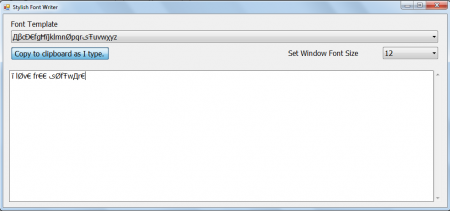
The right side of the options you have the drop down to select the font size of the text you type at the bottom. After you are done selecting all the options available you are ready to type your text in the white space at the bottom. Now when you are done typing the entire stuff in the area you need to go to your document or the place where you need that to be pasted and select the paste option.
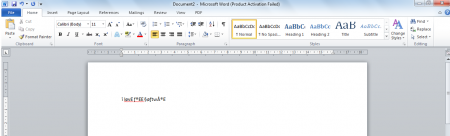
Now that you know all about Stylish Font Writer, you can use this freeware to type characters in different various styles.
