Directory Diff is a free and open source software that helps you to compare two directories on your computer. This directory compare software has got the capability to show you the complete directory tree side by side on the interface in their respective columns. Directory Diff even offers you with options to expand and collapse, which you can use to expand or collapse the tree structure to see the similarities and differences between directories.
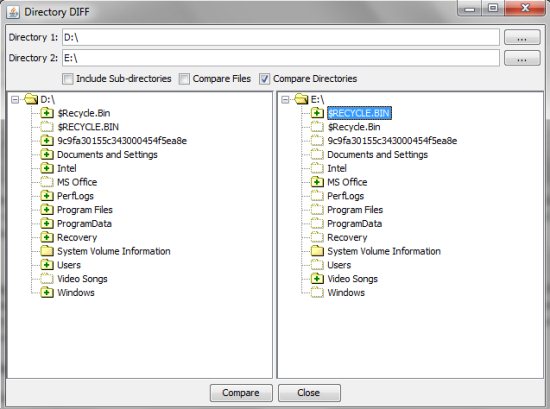
Directory Diff makes it extremely easy to compare directories. You can go till file level with this. It can show you same files in both directories, files that are present in one and not in other, and differences between the files. The user-interface is clean and very basic, so even the novice users can effortlessly compare directories on their computer. The user-interface basically includes browse button for Directory 1, browse button for directory 2, options to include sub-directories, compare files, and compare directories. The interface even includes two sections that display tree structure of the directories selected by you.
Features Of Directory Diff to Compare Directories:
- Shows you the missing files, identical files, file differences, and additional files.
- Directory comparison is displayed in a tree structure.
- Include sub directories in the comparison.
- Compare files gives an option to compare files within the directories; along with the directory comparison.
- Expand and collapse options are used to expand and collapse the tree structure.
How to Compare Directories:
- Launch this directory comparison software.
- Click Directory 1 Browse button to browse and choose a directory
- Click Directory 2 Browse button to browse and choose any other directory.
- Check include sub-directories, compare folders, and compare directories option for a detailed comparison.
- Now, click the Compare button below the comparison panel.
- Wait for some time, as it may take some time in comparison; depending upon the data within each directory.
Directory Diff is extremely easy to use, small in size (less than 1MB), and completely free. Another free software to compare files is WinMerge. You can use Compare Sheets to compare Excel sheets.
