Here are some websites that let you convert photos to scary images. These websites make your photos look like zombies, that gives the necessary touch to celebrate this Halloween in a scary manner. You can use the converted scary images as Halloween wallpapers as well.
Also check out Halloween Games, and Halloween ringtones.
Lunapic:
Lunapic is the website for converting your photo to zombie. This website gives you the authority to upload any image of your choice via Facebook or Via Computer online and give the image different effects of your choice. After adding the effects, the image will be converted into an Halloween wallpaper which you can share via Facebook, save to your pc and send via email. Also you can fit your face to a skeleton and let the skeleton dance in different steps. There are many more other fun options on the website to convert photo to scary image.
Read more about Lunapic, or check it out here.
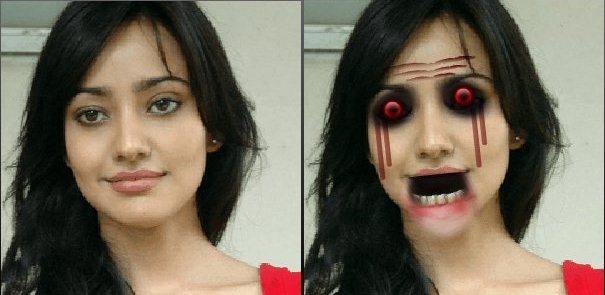
Gross Out:
Gross out is an cool application that allows you to add different effects to a particular image. You can add multiple effects to particular image. You can add scary effects to photos. Various scary effects include: make eyes crazy, make teeth gnawing , add eye patch, and many more. Once you have added scary effects to photos, you can download your masterpiece to your computer. Click here to get started.
Zombie Me:
Zombie Me is an awesome free photo editing website that is used to convert your normal photos into scary photos. You can add multiple effects to a particular photo and create your own Halloween masterpiece. You simply need to upload a photo of your choice, add a zombie effect and create a unique scary photo. Also you can share the created masterpiece through email. You can add effects such as exposed teeth left, wound, ribcage, gash, throat slice, eye socket right, skin texture, knife stab, cheek scar left and many more. For editing image through Zombie Me click here.
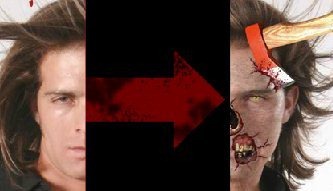
So don’t wait any more. Just go ahead and edit your photos and make those photos as your Halloween Wallpapers.