Picozu is a free online photo editing platform. There is no download and no program to install. Online photo editing is becoming quite popular with people that don’t want to or can’t afford to pay for a software package that they will own and that will reside on their computer.
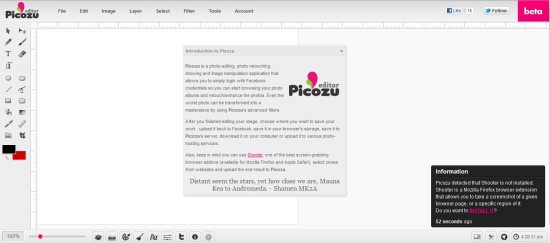
Edit and Save Your Photos with online photo editing program:
One of the best features of the Picozu online photo editing platform is that you don’t have to have your computer with you in order to edit and retouch your images. You can be on vacation, take pictures, and then edit them with the Picozu platform online. When you’re done editing, Picozu makes it easy for you to upload your images to Facebook, Twitter, and image sharing sites. You’re also able to save your images to a unique storage area on the Picozu servers, or download the image to your own computer or external storage device. All of the work you do in Picozu is done in a browser window.
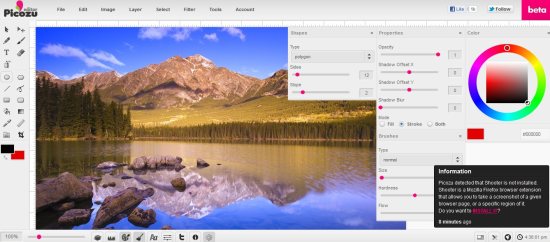
Beta Programs Don’t Often work as Advertised:
Longtime computer users know that programs that are still in beta release don’t often work as advertised. This is the case with Picozu. Many of the tools that are included in the platform don’t work the way that they do in other more developed programs. As an example, I selected one of the sample images to play around with. There was dead space in the image, so I tried to crop it out. I was able to successfully select the area to include, but was unable to complete the crop. When I clicked outside the image area, the Firefox window reset. I next tried to complete the same actions using Internet Explorer. When the platform failed to load after five minutes, I gave up.
Opening the Picozu platform in Chrome was faster than in Firefox. The crop tool worked properly. However, when I tried to fill the background of the image with a solid color, in an attempt to make an outline of the image’s subject, the background color filled the whole image, instead of just the background. Using the Undo Edit command gave me a surprise. Instead of undoing the last editing step I made, it closed the image. That’s one big undo step!
Picozu online photo editing program may be free, and it may be just a beta product, and not a full release, but the company that makes it needs to remove it and make some heavy changes before it’s ready for real-world use.
