Free Alarm Clock is a free alarm clock software for PC which helps you to set alarms on your computer. This alarm clock software comes with a very basic and straight-forward interface and allows a user to set unlimited number of alarms.
Using this free alarm clock software, you can either set one time alarms or you may set repeating alarms. Set repeating alarm according to your preference like set it for Monday to Friday in order to reach workplace on time and sleep more on weekends without the disturbance of an alarm.
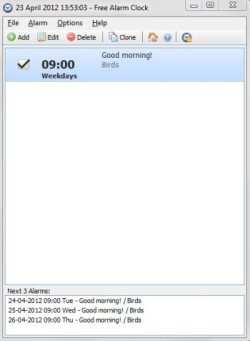
This alarm clock software includes few pre-installed alarm sounds, so you can set any of them as your alarm tone. You can even choose any MP3 file from your system and use it as your alarm sound.
This free alarm clock software even allows you to label alarms. You can add labels to different alarms, which indicates the activity or task you should do on hearing the alarm sound.
You can enable the snooze option and choose your preferred alarm snooze time available from 1 minute to 10 minutes.
Don’t miss to check out other free PC alarm software.
Some Key Features Of Free Alarm Clock Software:
- Multilingual user interface.
- User-friendly and simple interface.
- Set any number of alarms.
- Use MP3 file as alarm sound.
- Wakes up your computer from the sleep mode.
- Create one-time alarms or repeating alarms.
- Add label/message to your alarms.
- Automatically turns up the volume when the alarm is played.
- Small in size alarm software.
You would also like to check out free software to add music to video.
How To Download And Install Free Alarm Clock Software:
- Visit the homepage of Free Alarm Clock software and click the download link.
- An exe file of Free Alarm Clock software will be downloaded into your system. Double click to run the file, and complete the installation procedure.
Free Alarm Clock is a totally free alarm software that helps you to set alarms on your computer for waking you up early in the morning or to remind you about any task or activity to be done. Click here to download Free Alarm clock.
