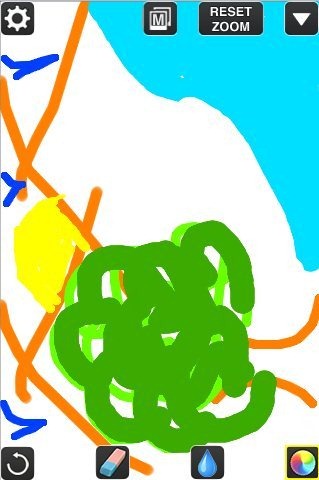
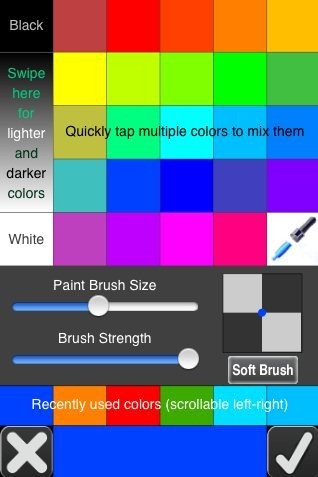
DrawCast app is a free iPhone app to draw on iPhone, iPad, and iPod Touch. Using this drawing app, you can easily draw anything on iPhone. It supports different colors, you can resize brush, and easily zoom into any part of picture. You can also undo your last brush stroke, and use rubber to erase off errors.
DrawCast is a good solution to improve drawing on iPhone. Using this drawing app for iPhone, you can draw with a simple pencil and then add colors to the masterpiece which you have created on your iPhone.
The only thing which I found missing in the app was paint bucket. The app comes up with multiple colors to play with, but then it doesn’t contain paint bucket to pour colors in one go all around. Apart from this, DrawCast is the perfect tool to draw on iPhone.
Also check out other drawings apps for iPhone reviewed by us.
Key Features Of Free Drawing app To Draw on iPhone:
- You can easily draw on iPhone.
- The app comes up with one single paint brush on iPhone.
- The app is compatible with almost all iOS devices.
- Adjust the size of paint brush.
- Select from multiple colors.

- The app provides zoomable paintings on your iPhone.
- Eyedropper tool to select the color from painting and then match it from the multiple color list.
- You can easily share the masterpiece via Facebook, email and Twitter.
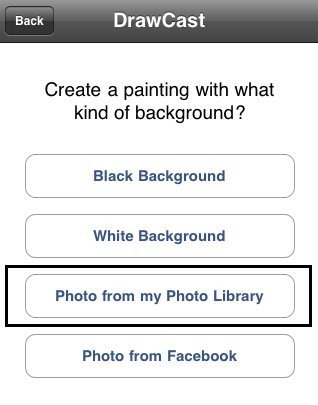
- You can import any photo from your phone’s photo library and then you can edit it with the app.

- Undo the changes made in the painting.
- Easily save the drawing made in your iPhone’s hard drive.
- Toggle the painting to full-screen.
You can even check out Sketch N Draw app for Android reviewed by us.
How To Install DrawCast App On iOS Devices:
- Scan the QR Code below with a Barcode Reader app to install the app directly from App Store.

- If you don’t have a Barcode Reader app installed on your iPhone, then search for “DrawCast – draw, paint and edit photos” app from app store.
- Install the app on your iPhone.

The free DrawCast app will be automatically installed on your iPhone. Click here to download DrawCast app from App Store on your iPhone.
Draw on iPhone and then share it with your friends and others. Learn and make your kids learn drawing with your iPhone or any other iOS device.
