Update (8-Oct-2012): The link to original app is not working anymore, but we found an app that seems to be same as this one. The links in the article have been updated for that.
Fake – Call Me And Call Faker is a free Android app that gives a fake call on Android phone. Now you can make fake call on Android phone anytime. This is the only fake caller app in Android Market which gives a real interface of incoming call on Android device. Best suited when you find yourself in an awkward situation and to get out of that situation give a fake call to yourself. Save your time by rescuing yourself from awkward situation by giving an excuse that you have an urgent incoming call which you need to attend.

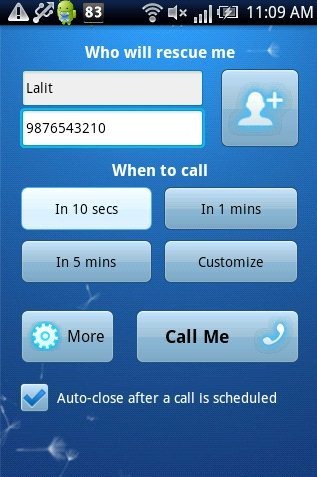
You can get out of the awkward situations like boring meetings, conversation, dates, with boring people with this great Android fake caller app. You can set the time duration of every call. For e.g. if you set the time duration of say 1 minute, then your phone will show the incoming call of the selected person and number exactly after 1 minute. This Android fake caller app provides you 3 default time duration already set, that is in 10 sec, in 1 min and in 5 min. You can select any time duration and it will ring according to that. Also this app provides you a customize option from which you can select the desired date and time, when your phone should ring. This Android fake caller is the best app to make fake call on your Android phone itself.
You can check out Viber for free call and messages on Android reviewed by us.
Some Key Features Of Android Fake Caller App:
-
You can make fake call on your Android phone.
-
Enter the contact number and contact name manually.
-
Select any contact name and contact number from your device phone book.
-
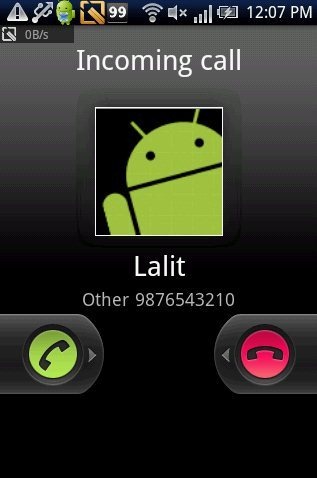
It specifies caller name and number while showing incoming call.
-
Save call logs directly from the app.
-
You can also activate vibration incase you receive any notification.
-
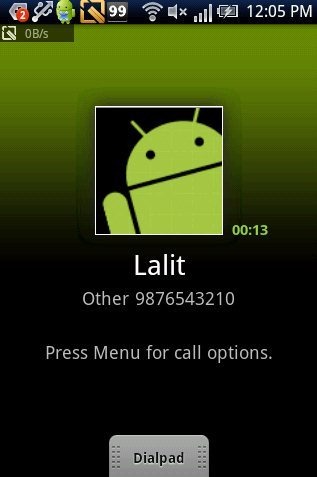
Once call is connected, it also displays the call time and looks very real.
-
You can also select a ringtone for fake call from your Android system.
-
Use this app as alarm.
Also check out Animado for Animated text messaging on Android reviewed by us.
How To Install Android Fake Caller App:
- Just login to “Android Market” or scan the QR Code below.

- Click on “Search” option. Type “Fake – Call Me And Call Faker” in search tab.
- Click on “Fake – Call Me And Call Faker” .
- Click on “Install”.
The free Android fake caller app will be automatically installed. Click here to install Android fake caller app from Android Market. Just fool others and get rid of awkward situation by this Fake calling app. Be a smart person with your smart phone by installing this great fake caller app.
