FlashJetScan is a free scanning software that lets you scan documents or convert any images to PDF, so that you can manage them easily. Main purpose of this software is to help you to easily organize documents, like, receipts, bills, etc. With this free scanning software, you can choose to automatically organize your documents after scanning.
For organizing documents, this software has a concept of “Categories”. You can add multiple categories in this software, like, Receipts, Bills, Statements, etc. Then, while scanning a document, just choose the category that the document belongs to. FlashJetScan will then automatically move the document to the folder associated with that category.
Also check out online document management system.
FlashJetScan has some general but unique features:
Firstly, the main thing you will notice about this software that it is fairly easy to download. You can just go the following link in order to download the software:
http://sites.google.com/site/flashjetscan/home
Once you download the software just install it and run the application. It will not take much time.
Once you run the application you will find a screen where there are various categorical tabs present with a background image as shown below in the figure:
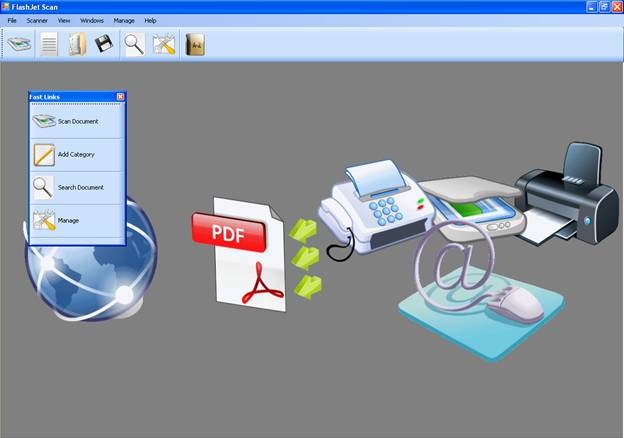
These are denoted as fast links which helps you to go quickly to either scanning for new pictures or get one from your system itself.
When you want to scan a document your default scanning device will be prepared for scanning of any inputs.
One interesting feature of this free scanner software is that it allows to scan documents with webcam. Of course, normal scanners are supported as well.
How to Scan Documents with Webcam:
As I mentioned earlier, this scanning software lets yo scan documents with webcam. Once you want to scan the document press the scan document button and the window that will open within you have to click the scan button. This will show the following window with the image for scanning or snapshots.
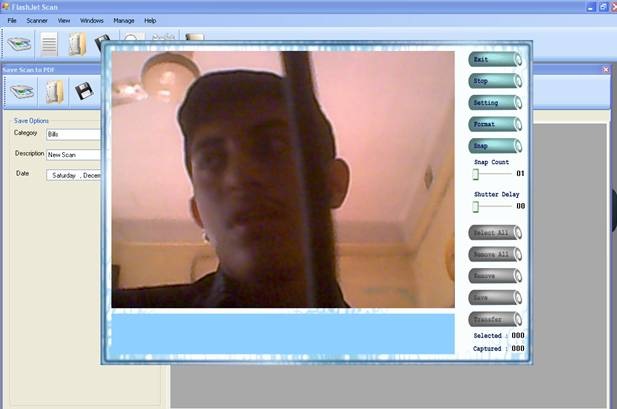
In this window where you are using a webcam for taking new pictures, you need to mention how many snaps you want to take and at what interval with the snap count and shutter delay icons present at the right middle of your screen.
Once you are ready with it you can click on ‘Snap ‘button.
This will start taking snapshots from the webcam.
You can also change the resolution and other details of the snaps by the settings and format buttons as well.
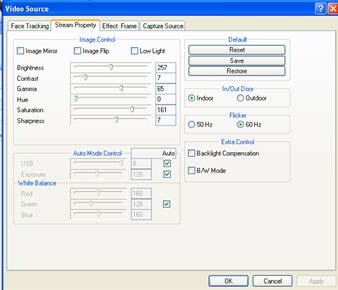
Once you are done with all the snapshots you can click on the save button to save the snapshot in any of the folders in your computer.
Convert images to PDF:
Next you want to convert such JPG or VGA file to PDF. So you have to click on add picture in order to add any JPG or VGA files to add to the list of FlashJetScan.
So once you have added one file click on save which will save the file in PDF format.
To retrieve the PDF file you can click on search document option present in the home screen and here you go, you have got your desired PDF file for the image.
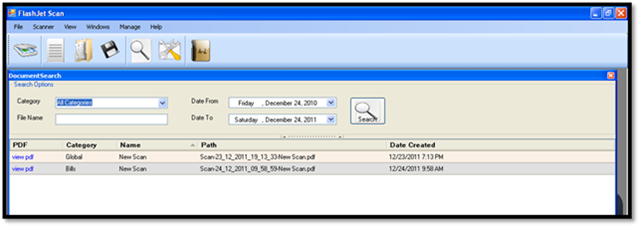
You can click on the view PDF button in order to see the JPG file in the PDF format.
As far as productivity is concerned this software is one of the best in business. It lets you easily organize bills and receipts. So it will quite good to download and use this software.