ffDiaporama is a video making software, which enables you to create video presentations and movie files. The Software lets you create movie files from images, screenshots and clips. Music addition feature is also present for the movie making process.
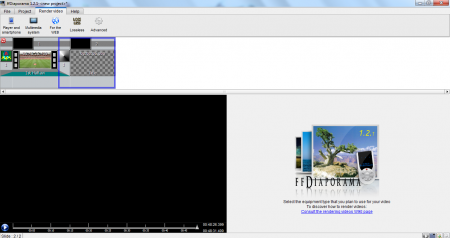
The software is handy if you want to make a movie out of your images or small clips. It has a standard preset of options, which allows you to customize the edited movie according to your convenience. You can create a movie for Portable Devices, Web and Multimedia Systems.
Features of this Software to create movies
- ffDiaporama has the ability to create movie files of high quality from the content of your choice.
- It can produce movie files in any of the most used output formats, rendering the quality according to the user’s convenience.
- Perfect for creating movie files for players, smartphones, web video portals, multimedia systems. Video files can be formed, even in Lossless format.
- Editing of the background, images, background music and even the object transitions can be handled.
- Easy editing features with the Copy to the Clipboard option.
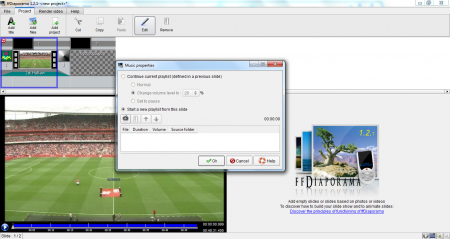
Interface and Working of the Software
For people who have used the Windows Movie Maker software, using ffDiaporama will prove to be an easy task. The features are nearly the same, focus being the movie making part. However, ffDiaporama uses some different editing features.
After opening a new project and selecting the media content for it, you can work on it. You can add title, add video or add a project to your existing project. The images, transitions and music for this project can be easily set. After finishing the movie editing process, you need to finish the movie according to your choice of format. You can create the movie for any kind of format that you want.
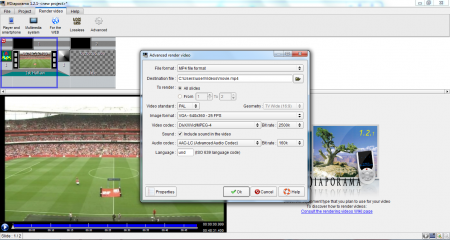
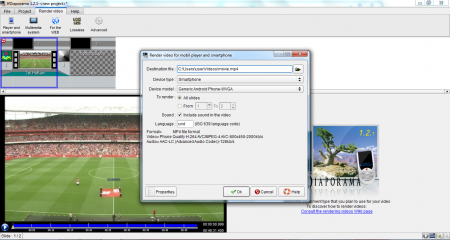
For Portable players, multimedia elements and Smartphones, the file format is MP4. For web portals like YouTube, flash videos can be made. Lossless videos produce MKV files. Settings can be tweaked to produce almost any video format, that you wish to produce your movie in! You can control everything from the aspect ratio to the audio codec feature of your movie.
Downloading and Installation
The installation file size, is probably the flip side of the software. It’s close to 30 MB in size and takes a long while to get downloaded. This is expected though as it’s the process of making a movie file. The setup occurs very quickly though!
Our Verdict
ffDiaporama is an excellent movie making software, but is very limited in its capabilities. You can use it to create beautiful movie files which are of high quality, but it lacks that cutting edge of a brilliant Movie Making software. It’s pretty much similar to Windows Movie Maker software, but worth a look if you are looking for some additional features.
