RingTone Maker is a free software that enables you make ringtones for your phone from your favourite mp3 files. The program is essentially designed to make ringtones for iPhones but can be used to make ringtones for all types of phones including those running Android, Symbian and Blackberry. The program enables you to select a thirty second section of a song with a ringtone cutter which converts the selected section to an mp3 ringtone.
Features of this free ringtone maker
- Supports drag and drop.
- Easy to use. Make ringtones in 5 easy steps.
- Flexibility. Ability to create ring tone in formats compatible with different devices.
How to use this software efficiently to make ringtones for free?
The interface is simple yet very elegant. You don’t get the usual menu bar and stuff but you can do without one. All you get is a title bar, a working area in the centre and a status bar at the bottom. The status bar at the bottom shows the active window and which step is currently being carried out .
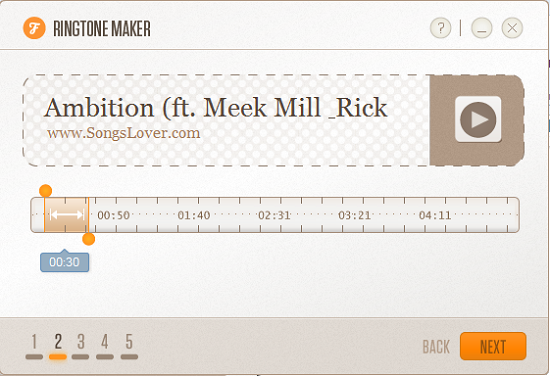
The first step involves adding the song. Songs are added via drag and drop or by clicking on the interface and browsing for files. Unfortunately, drag and drop is enabled only on the enclosed section. Once you have added the song, you can now select which part of the song you want converted. The section of the song enclosed in two orange bars is what is converted and must not be more than thirty seconds apart. You can listen to the song as you select by hitting the play button besides the song title.
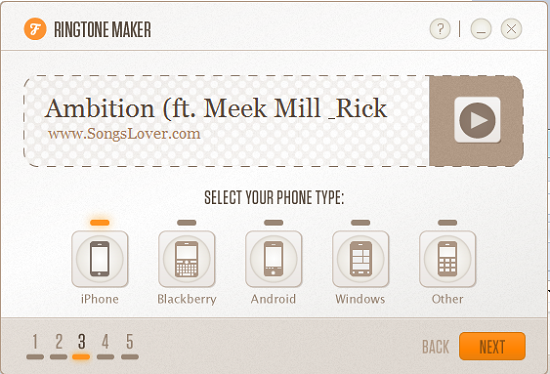
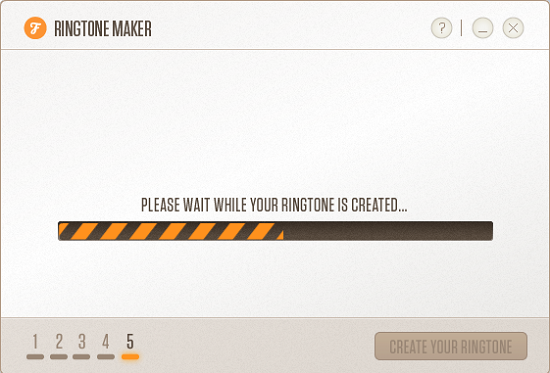
The final step involves selecting a phone type. Options include iPhone, Blackberry, Android, Windows and “Others”. Select the appropriate option and click Next to continue. It prompts you to select a destination folder for the ringtone. The desktop is selected as the default. Other options include selecting the source folder as the destination folder or browsing the desired folder. The next step involves the actual ringtone being created. A progress bar takes you through the conversion process and later gives way to a confirmation message informing you of your success. The conversion process takes only a few seconds to complete. From here you have the option of creating a new ringtone or browse the destination folder. Help is available via the help button at the top right corner of the interface besides the window control buttons.
Opinion
The idea behind the program is great and so is the implementation which helps you to make ringtones right from your desktop. The interface is simple, well arranged and aesthetically perfect. It is quite unusual that the drag and drop feature is only enabled on part of the interface. Audio quality and name of the ringtone are just like the original. The program is very easy to use and consumes minimal system resources.
Verdict
RingTone Maker is a great tool for anyone looking to get rid of the boring and old fashioned proprietary ringtones.
