Vaulty is a Free Android App that enables you to lock photos and videos that are extremely personal for you. This free photo protector can lock photos and videos and saves them to Vaulty. You just need to move the photos and videos from your gallery to this app and allot a password to it, no one would be able to view your password protected photos and videos even in the SD card.

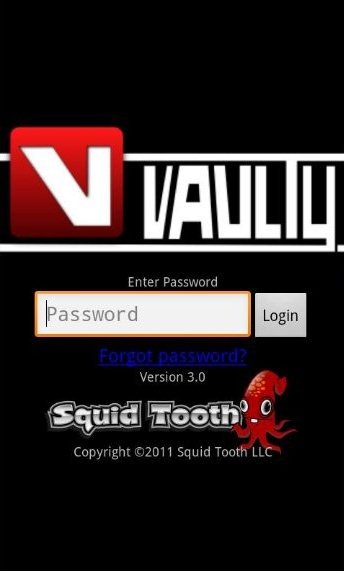
This is a free Android tool to make your photos and videos private from your friends, co-workers and kids. Just upload as many photos and videos as you want and make them private. Lets take a look at the home page of Vaulty:
Some Key Features Of Vaulty:
-
Hide your personal photos and videos.
-
Password protected App, so that no one can access the folders until he/she knows the password.
-
It supports both picture and videos.
-
Multi-selection of file is available.
-
You can unvault any picture or video.
-
You can also share the app via Bluetooth, Color Note, Docs, Dropbox, Facebook, Gmail, Messaging and many more.
How to Lock Photos and Videos in Vaulty:
-
Open “Vaulty” from the main menu.
-
Tap the “Gallery” option from the main menu icon bar of Vaulty.
-
Tap on the “Edit” icon in the icon bar of the vault to enter edit mode.Tap the “images or videos” from the list, you want to select.
-
After selecting the desired images and videos, Tap on “To Vault” option in the icon bar. The selected images and videos will move to Vaulty app from the gallery.
-
The selected pictures and videos are now hidden in Vaulty app. Now no one can access those photos and videos until they know the password.
How to Unlock Media Files in Vaulty:
-
Open “Vaulty” from the main menu.
-
Tap on the “Edit” icon in the icon bar of the vault to enter edit mode. Tap the “images or videos” from the list, you want to unhide.
-
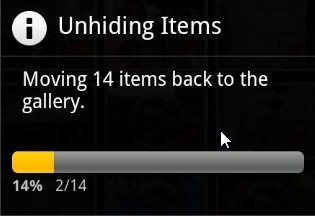
Tap on “To Gallery” option on the icon bar. It will give you a pop up like box showing “unhiding items”.
-
Click on “Cancel” option to exit the “Edit” mode.
-
Now the files are back in the gallery and anyone can view it direct from gallery.
How to Install Vaulty:
-
Just login to “Android Market”.
-
Click on “Search” Tab. Type “Vaulty” in search tab.
-
Click on “Vaulty Free Hides Pictures”.
-
Click on “Install”
The Free Vaulty App will be automatically installed. Now make your smartphones, your secret device by hiding personal photos and videos. Lock photos and have full control over your pictures and videos..Enjoy!
