• Home
  • Software Testing Service
  • About US
    • Privacy Policy
    • Disclosure
  • Write For Us
  • Submit Software
  • Contact Us
    • Subscribe
I Love Free Software
Best free software available all over the web. The free software categories include Windows Software, Social Networking Tools, and software installation videos.


  • Featured
  • Windows
  • Web Applications
  • App Store
  • Android
  • iPhone
  • iPad
  • Windows 8
  • Social Networking
  • Programming Tools

IP Address Monitoring Software Free: Mr. IP

By Sabyasachi on January 20, 2012 | Sponsored Links

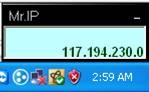
Mr.IP is a free software which displays your IP address at all times on your desktop and sends you a notification by mail in case your IP address is changed. This IP address change can occur due to any malicious attack on your system when it is connected to the internet. It is distributed by VeriFive and is available for free download. This IP address monitoring software is small in size. It shows your IP Address all the time on the desktop when you are connected to the internet.
clip_image002
Sponsored Links

Lets look at features of this IP address monitoring software:

  • It is found at the top of your taskbar where it shows your current IP Address.
  • Silent mode is useful.
  • It does not cost a huge amount of space on your hard disk. It is very much lightweight and does not affect the performance of your PC.
  • You can refresh it at constant intervals to know if any change has occurred to your IP Address.
  • There is an option for docking or undocking the application over the taskbar.
  • It has an auto start feature. So it start when Windows starts.
  • You can check out the service by shooting a mail to your email id in order to confirm that it is really helpful when you need it.

How to download and install this IP Address monitoring software:

  • Click on the link of the website provided below.
  • On the website, click on the download link.
  • A Zip file will get downloaded to your system.
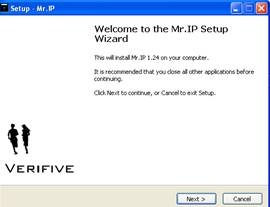
  • Extract the zip file and run the exe file in it.
clip_image004

  • Then the above window will open. Click on Next.
clip_image006

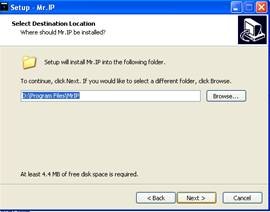
  • You can either choose the directory where the application will be installed or leave in the default directory.
clip_image008

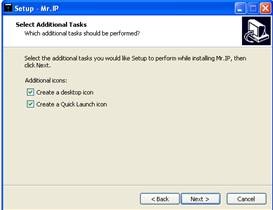
  • You can opt to create a Desktop and a Quick Launch icon. Click on Next.
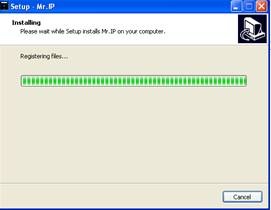
clip_image010

  • This will install the software on your computer.
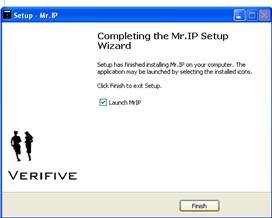
clip_image012

  • Click on Finish and the software will be launched.
  • Observe the icon docking over the taskbar.

Mr.IP is a useful software for monitoring and protecting your identity over the internet. Go ahead and give this utility software a try for sure.

Home Page: Click Here
Works With: Windows
Free / Paid: Free

Link to This Page:


You Might Also Like:

  1. Cucusoft Net Guard: Free Bandwidth Monitoring Software
  2. Free Internet Speed Monitoring Software: NetStatLive
  3. Free Network Monitoring Software: Spyome
  4. Free System Monitoring Software: PcWarder
  5. Free System Monitoring Software For Intel Motherboards

Be the first to know about Latest Free Software:

  • Join us on Facebook
  • Subscribe to our RSS Feed
  • Follow us on Twitter
  • Subscribe to Email Updates:

Posted in System Utilities | Tagged ip address | Leave a response

Sabyasachi

« Previous Next »

Featured Posts

  • 5 Free Snippet Managers To Manage Code Snippets
  • 5 Free Online Tools To Test Website In Different Resolutions
  • 5 Free Microsoft Access Alternatives
  • 5 Free IP Notifier Apps
  • 5 Online Mapping Websites
  • 5 Free Alternatives To iGoogle
  • 7 Websites To Download Windows 8 Themes
  • 5 Best Free Calculator Apps For Windows 8

Join More than 15,000 Followers!

Enter your Email Address
  • Submit Software
  • Software Testing Service
  • Write For Us
  • About Us
  • Privacy Policy
  • Disclosure
  • Contact Us

Link to Us:

Did we review your software here? Feel free to flaunt this badge on your website:

Free Software

Use this Code:

Copyright © 2013 I Love Free Software.

Powered by WordPress and Hybrid. New - H