P3dO Explorer is a free image editor for manipulating 3D objects and images. P3dO is available in two versions, the free version and the pro version which you have to pay for. The program is available in the default English language and 7 translations including Italian, Spanish and Finnish. P3dO allows you to view, organize, print and even transform pictures using various tools and plugins.
Features of this free image editor
- Support for over 40 image formats.
- Customizable auto focus image zoom throughout 5 pre-set options.
- Rotate pictures clockwise and anticlockwise and convert images from one format to another.
- Sided image previews and zoom windows which allow you to view more detail.
- Renaming utility which lets you rename files in batch or rename files more easily individually.
- Creation of thumbnails from ZIP, RAR formats and other archive formats.
- Folder exploration which lets you view image files from multiple directories simultaneously and search for image files using filenames as parameters.
- Extend functionality using plugins.
- Supports the most widely spoken languages including Finnish, Portuguese, Spanish, French and Italian.
- Set favorite folders containing folders for easy access.
- View images in thumbnail, detail and icon modes.
- Print single pictures or print thumbnail sets.
- Explore 3D files and their structures.
- Poser library to show RSR thumbnails, list paths and automatically renames, moves and deletes Poser thumbnails.
- 3D engine with hardware acceleration.
- Customize–able interface with windows that can be docked anywhere on the interface.
- Windows explorer look and feel.
How to use this image editor for 3D images
The interface is well organised and the windows look and feel works wonders. You get a menu bar at the top, a toolbar and file explorer in the middle and a bottom strip occupied by the status bar. The menu bar contains the usual menu items like file, view, image, tools and edit. The File menu consists of the usual menu commands like save, open, exit and print. The program also supports drag and drop.
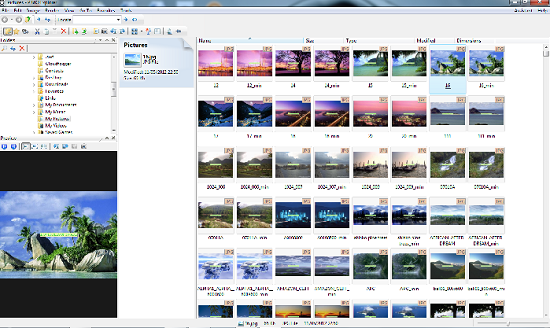
On launching the application, it searches for all pictures on the computer and prepares them for viewing or manipulation. Pictures in the explorer can be previewed on the Preview toolbar by single clicking and opened by double clicking. Items on the explorer can be manipulated using the main toolbar. The toolbar enables users to change the style of listing, rotate images, copy, move and sort images. The Folders toolbar lists all folders on the computer. The toolbar also contains an option to search or reload the file list. The Image menu allows users to manipulate images. From the menu you can be able to print, copy, edit and transform an image by rotating it to either the right or the left. The same menu can be used to toggle between images in the explorer window. You can also choose to preview and zoom focus options.
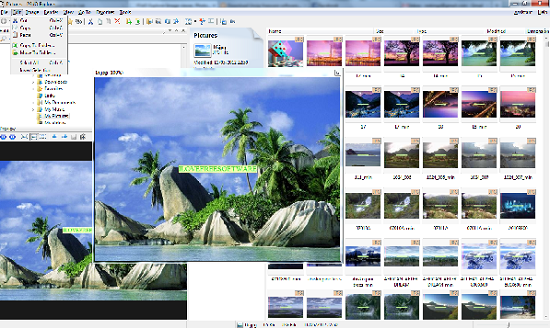
The Render menu allows users to access various modelling techniques. Options include Wireframe modelling, Smooth shading, Cartoon shading and Texture mapping. The View menu allows user to select from toolbars, windows and panels which you want to view. Layout options and thumbnails sizes can be set on the same menu. The Sort submenu enables users to sort image files on the explorer using criteria like date, size, type and name. Then Go To tab enables users to navigate between directories and keeps a record of recent files and directories.
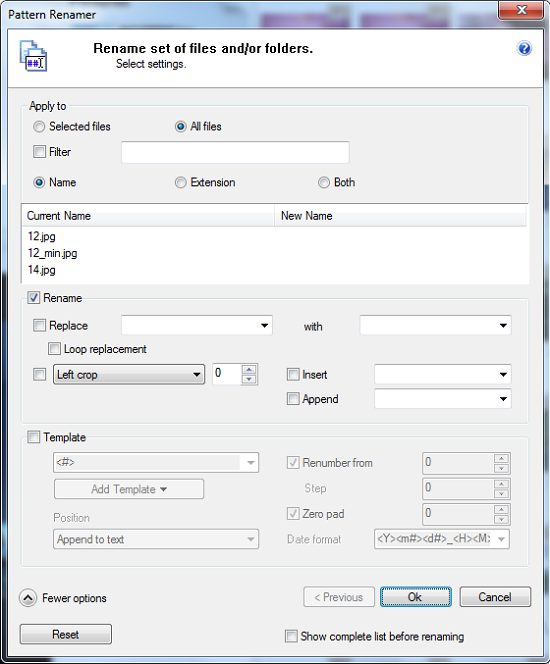
The Favorites menu enables user to add and organize folders. The program searches for images on these favourite folders before it can proceed to other folders. The Tools menu enables users to search and locate images, start a slide show, print and access the Pattern renamer and access program settings.
Opinion
P3dO Explorer is great image editor for anyone looking for a program that easily manipulate images and 3D objects for free.
