Makeagif is a free web application wherein, you can create an animated GIF file online and can download it immediately. You just need to add couple of images that you like, select the sequence in which you want your photos to appear, and the animator will then combine them into one GIF file.
Now some of you must be thinking, what GIF is? Well, to be more specific its Graphic Interchange Format (GIF). Again confused? In simple language – if you create moving animated shoot out like a video from your still photos, then format of that animated file is .gif. It is quite an innovative technique of converting your old still memories in a moving story.
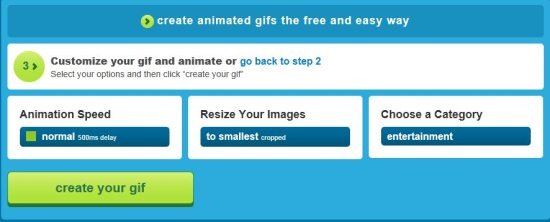
This alluring web application facilitates you with an option of selecting the rate of speed at which you want your photos to be played. Also you can create different shoots under different available categories such as- entertainment, cartoon, funny, weird and so on. In addition, if you want to check your created animation, rather than searching up the entire website, you can just sign-up using either your Facebook or Twitter account. Thereafter, you will find an option of “my gifs”. Click on it to check your created gifs.
It was only yesterday when I personally tried to create a GIF and after creating a short animation, I got extremely excited to share that shoot with you. Believe me, making an animated GIF is more easier than you think. All you need to have is an internet connection.
How to create a GIF:
- On the website you will see a page as shown below
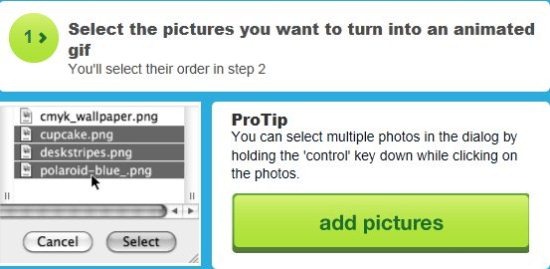
- Click on “add pictures”
- Select the sequence in which you want your pictures to play
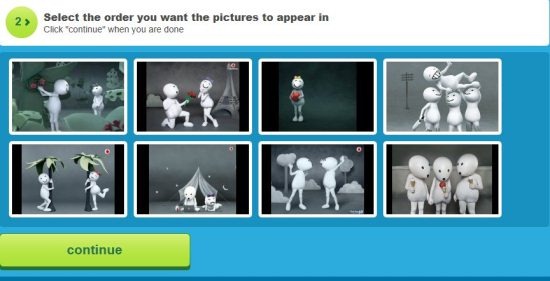
- This will take you to the settings page wherein, you will be asked – to select the rate of animation speed, image size and category under which you want to add your entire gif and then click on “create your gif”. You can take a look for better understanding:
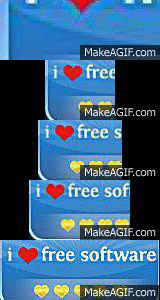
- Thereafter you will be asked to wait for a few seconds and finally here is your own animated gif. Below is my trial animated gif:
You can also check out other similar programs which help you create animation like GIF animator, Microsoft Gif Animator and DP Animation maker reviewed by us.
In short, Makeagif is a marvelous free web service to create unlimited gifs online and also to see other people’s creative work. So go ahead and try making your own gif….Its pretty cool!!
