Post Back is a free Craigslist software that enables you to have a look at different posts on Craigslist or make a new post. You can either select a specific region or see posts from all over the world. It is an interesting platform where you can inquire about things that meet your requirements. Here you can reply to the posts without the need to compose a new mail. This free Craigslist browsing software is available for free and it simplifies the process of browsing classifieds through a single interface.
Installation of Post Back
To install the software you need to go here. Click on the download button and an .exe file will be downloaded. Once the file is downloaded click on it and the installation will start. Before the installation starts you will be asked about the preferred language and then the usual installation process follows. After the installation is finished you need to restart your computer to start using the software. If you are interested to check out some more Craigslist related software, you can try Craigslist Reader, iNumbr and FotoFuze.
Interface of Post Back
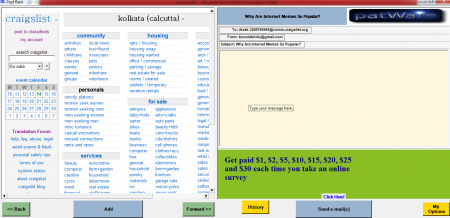
Post Back has an interface that looks similar to a browser. The posts are shown at the main screen and at the right there is a panel that looks like the compose mail box. All the tabs and menus are shown in a simplified manner in this free Craigslist browsing software.
Using Craigslist browsing software
To start using this free Craigslist software, you need to integrate your Gmail account with the software. To integrate your account, click on the My Options tab present at the lower right corner of the software. Then enter your e-mail address, password and one primary e-mail address where you will get all the replies. Then you can select whether you want to see posts from a specific region or posts from worldwide users. There are hundreds of categories under different topics. This includes topics like:
- Community
- Personals
- Services
- Housing
- For sale
- Jobs
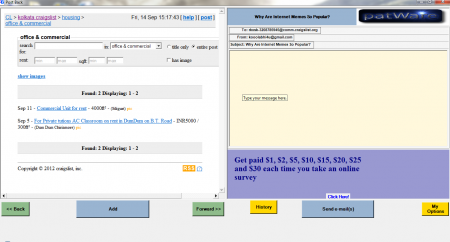
At the left panel you have an event calendar and a drop down that helps you search craiglist for specific options like community, events, gigs, housing, jobs, personals, resumes, for sale, services, etc. At the top left corner you also have the option to make a new post in craigslist.

To select a specific post you need to click on your favourite category. After you click on the category you need to enter a keyword that suits your search. Then click the search button and a list of different posts will appear. Click on one post and it will be selected. After selecting the post, click on the Add button and an id will be added on the right side where you can compose your message. Now you can start composing an mail and click on the send e-mail button to send it to selected recipient. You will get the replies in the e-mail id that you entered as a primary e-mail address.
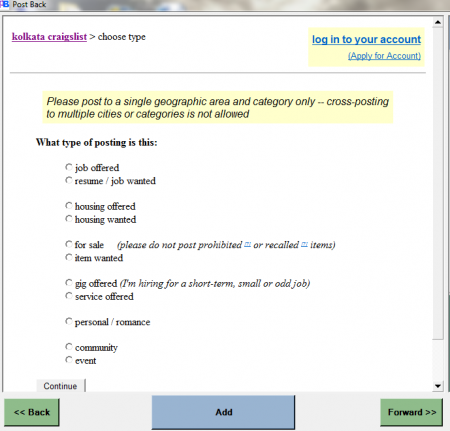
You can even make new posts through this software. Click on “post to classifieds” that is present at the top left corner. Then you need to select the category for your post. Once you finish selecting a category you will be provided with a window where you need to enter the title for your posting, the location, the email address where you want to get replies, a nice description for your posting, compensation and click on continue to finish posting. Download Post Back for free.
