Tweak7 is an important and useful utility for all Windows 7 users. As its name suggests it tweaks the Windows 7 system making it easy for the users to adjust and understand the complex programs and modify them.
This application is not just for advanced users but for everyone and for that matter even for people with non technical skills as it offers a plain, simple and easy English language so that everyone can comprehend it easily and quickly.
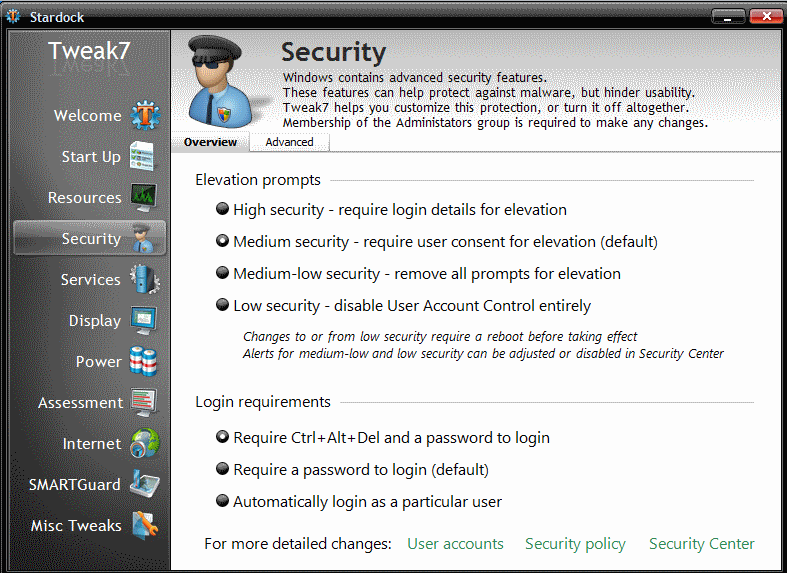
All its features are amazing but one of its features is quite impressive. It often happens that you don’t understand that what processes are locking your files and can do nothing about it and can’t even delete them sometimes. But Tweak7 stops the process which is locking the file and you can again access the lost files.
Another one of its features is a very useful one. There are so many software that you download after purchase and many applications keep running into your PC and some stay hidden. Snapshots or Microsoft’s restore point tells you about hidden or misbehaving applications and helps you ‘undo’ them in a more better way and tells you about the changes in your PC. It will pinpoint the running applications in your PC and will help you restore or undo them more quickly.
Here are some of the features of this Free Software to Tweak Windows 7 settings:
- You can gain access to the locked files on your PC which is otherwise a tough process and requires additional download of software.
- You can disable the unnecessary services on your PC through the host processes for windows in the task manager.
- You can view, start or disable the services directly from Tweak7
- You can adjust and modify the way your windows security panel works including user account control
- Helps you understand everything in plain English
- It pinpoints the misbehaving applications and helps undo them
This is a very important utility for all Windows 7 users which helps in modifying applications in an easy way and plain language so that users get a better hang of it and work in a more efficient manner. This is a highly recommended software for all professional and non professional users and should be given a try .