Update 2022: BayFiles doesn’t exist anymore. We recommend you to use Mediafire instead.
BayFiles is a legal online file sharing portal developed specifically for uploading and downloading files. It has emerged as a really competitive option to the other file sharing portals such as MegaShare, RapidShare and FilesTube.

The website is a sort of online software for file sharing. The difference between BayFiles and other free online file sharing service is that it has been legalized by the owners. Any illegal and copyright infringing content cannot be uploaded on the website. The makers undertake severe actions against anyone uploading copyright infringing material. It’s a venture by the PirateBay developers which was an illegal portal. They seem to have mended their ways with BayFiles.
Features Of This Online File Sharing Portal:
- The interface is very simple, clean and convenient for the user to go through.
- Uploading is very easy; the website has a direct uploading feature.
- For free users uploads up to 250MB can be made. For Regular users who have made an account can upload up to 500 MB. Premium users can virtually use up to 5GB space.
- Fast server speeds for unprecedented download and upload rates.
- Control the user access to your upload.
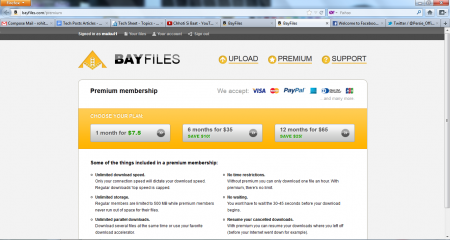
- For Premium users there are more benefits available. A Premium user does not have to wait for a fixed time duration to download the link. No time, download speed or download resuming restrictions are placed.
Interface And Working Of This Online File Sharing Portal:
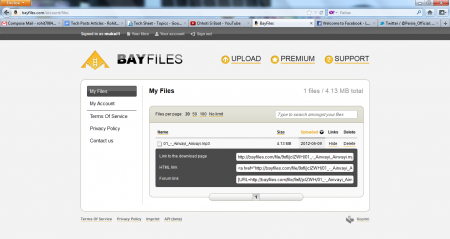
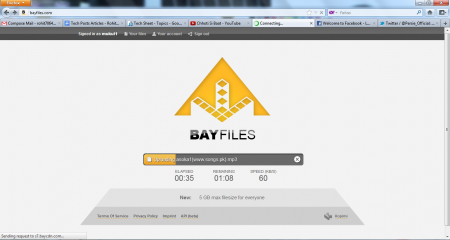
After opening the website; the only option is to upload a file by browsing through your PC files. After selecting a file; you get to know the time elapsed, time remaining for the upload and Speed. The URL for your upload link is presented after getting done with the uploading process.
The access to your link can be controlled manually unlike other file sharing portals. You can send your links to the specific Email addresses that you may like to share your link with. There is no need for becoming even a registered user for uploads up to 250 MB. Registration though is swift. You just have to provide your Username, Password and Email ID. The process hardly takes 10 seconds to get completed.
Premium users enjoy more benefits though! For an average user like me 500MB space is more than decent though.
Also, check out DropDo reviewed by us.
Final Verdict:
This online file sharing portal is extremely easy to use and is free of additional chores as compared to the other online file sharing portals. For smaller uploads whose visibility must be controlled this website is the perfect option.
