Central Desktop is free online collaboration software that you can use to set up meeting, webinars, and projects for your team. You can create documents to share online, and quickly be able to locate them from the program. This free online project management software will significantly expand the way you do business. Being able to connect with people who are traveling can help make sure that you do not have to halt your progress.
To use Central Desktop you just need to go to the website and sign up for this free online collaboration software. You will be up and running quickly. Once you are set up and have entered your information you can work from anywhere at any time with this free online collaboration software. This is great and will help you and your team communicate no matter what you have going on that day. You can easily learn how to set up meetings with your team and how to create to do lists for them to follow.
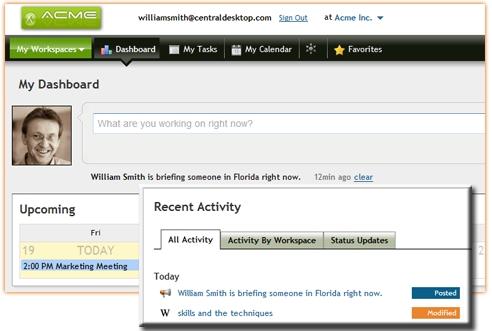
The free version of Central Desktop works for up to 5 users with 1GB of online storage space, and 2 workspaces.
You can also try other online collaboration software like Teambox, OfficeZilla and Braintrust reviewed by us.
Features of Central Desktop:
- Connecting With Your Coworkers: When you are using central desktop for work or a project that you are working on then you can create forums to chat in and profiles for each person so you know the people you are working with. Communication is simple through chatting and emailing within the program.
- Security: You will have the ability to control what users can and cannot see. Being able to set user settings is great for making sure that you can keep personal notes about the project personal. You can choose who has access to the schedule you have set up for the project. You want security and to get it with a free to try software is amazing on its own.
- Organization: You can use this software to manage all of the documents you are creating. You can get organized with your files because the software allows you to store everything all together making them easy to get to. You will also be able to track the changes you have made to your documents and any other files that you have used under this program.
- Project Management: You will be able to create to do lists for your workers and get them to them. You will be able to relay to your team exactly what you need from them to get the project off the ground and make sure that it is successful. You can use very organized calendars to schedule meetings and plan out your days. You will be able to set up meetings with your team through the program and track the amount of time you will be working on the project.
Video Overview of Central Desktop
Try Central Desktop and start setting up webinar, meeting and projects for your team
