ReClock DirectShow Filter is a freeware that helps you to get rid of sluggish playback of MPEG and AVI files on your PC. It’s actually a DirectShow filter which replaces the default directsound audio rendered. Many people face this jerky playback problem when trying to play any MPEG or AVI material on their PC. But now you have a way to get rid of it as you have ReClock DirectShow Filter with you.
This tool provides the video card hardware clock a new reference clock to play frames of videos at exact speed of what is expected by the video card vertical sync. It works as a frame rate adaptor for video files that do not with the video card refresh rate. These two things come combined in this filter to give you smooth video playback. It also works as an audio renderer with real-time software or hardware rate adaptation, audio timestretching, multi-channel audio and dynamic range compression capabilities. But, Voodoo 3 video card is incompatible with ReClock.
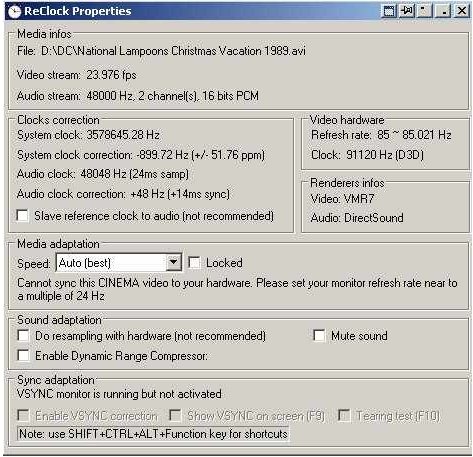
This free utility is available for download at ReClock’s official website. If you want to use ReClock with your DVD’s, use Zoomplayer or Media Player Classic to get perfect result. If you want to optimize playback with SPDIF output, there is a method given in the readme file. AC3Filter, NVDVD, WinDVD, PowerDVD, Cinemaster and Elecard filters are supported by ReClock. But, if you play DVD using DXVA mode, VSync correction will not activate.
If you are looking for a good video player that supports all video formats, you can try VLC Media Player, Splash Lite and MovieSpot reviewed by us.
Features of ReClock DirectShow Filter:
- Helps you to get rid of sluggish playback of MPEG and AVI files.
- Provides your video card a new reference clock to play videos at proper frame rate.
- Audio rendered with audio timestretching, multi-channel audio, real-time software or hardware rate adaptation and dynamic range compression feature.
It’s only 1.1MB in size and supports Windows (All).
Download ReClock DirectShow Filter Free.
