Winzip and Winrar are the most popular file compression software. But, both of these are paid software. There are many free alternatives available that can easily zip files, and unzip them.
Here are 10 of the Best free Alternatives to Winzip and Winrar
1. 7-Zip: This is my favorite file zip and unzip utility.
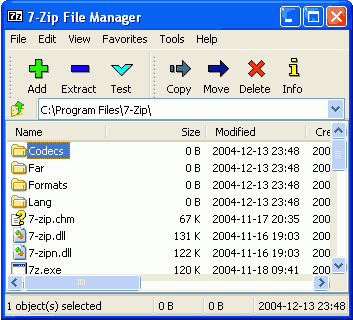
- Open Source
- Supports all popular formats (zip, rar, 7-zip)
- Powerful compression.
- Create Self extracting archives.
2. PeaZip: This is another open source file compression software, and very versatile.
- Supports more than 80 file types, including 7Z, RAR, TAR and ZIP.
- Works on Windows and Linux
- Supports multiple strong encryption standards.
3. Zip995: This is a small, and easy to use Winzip alternative.
- Create Self Extracting Archives
- Opens a sponsor page in browser every 5th use.
- Create new archives, and open existing ones.
4. IZArc: This supports lot of file types, and provides many additional features as well.
- Supports all popular compression formats.
- Can open CD image files like ISO, BIN, CDI and NRG.
- Can repair broken archives.
- Provides context sensitive menu.
- Can run your preferred Anti-Virus scanner when you open any archives.
- Winzip like interface.
5. Coffee Cup Zip Wizard: This is a free zipping and unzipping software from Coffee Cup.
- Works in Wizard fashion, so very easy for beginners.
- Supports only Zip format.
- Create self extracting archives.
- Email your Zip file right from the program
- Built in FTP makes uploading your Zips a snap
6. Typhoon Zip: This is a powerful zip and unzip software.
- Supports Zip and Rar formats.
- Drag and drop interface.
- Zip and Unzip multiple files or folders.
- Zip and email any selection of files or folders.
7. Quick Zip Lite: Very compact in size, and ideal zipping and unzipping software for netbooks.
- Screen designed to work well on smaller screens (even 7″ screen).
- Drag and Drop functionality for zipping and unzipping.
- Supports all popular archive formats.
8. ZipGenius: Simple to use file compression software.
- All the functions of a typical compression utility.
- ZIP encryption and decryption
- drag-and-drop support
- Send archives via e-mail, and Web publishing of archives and files via FTP and TWAIN devices
9. PIM: Basic zip and unzip functionality
- Supports limited archive formats.
- Drag and Drop Interface
- High compression ratio.
10. DesktopZip: Fast, simple ZIP archiver and dearchiver
- Supports only ZIP format.
- Quick Data compression
- Search ZIP archives
- Test Zip archives
- Repair ZIP archives
All the software mentioned above are completely free to use. Make your pick :)