Panorama Perfect is an essential software which helps you in creating Panoramic photos effortlessly. To merge photos taken by hand effortlessly, it requires the aid of an expert software. Panorama Perfect eliminates the deformities and restores the attributes of the image. Most of the people don’t click pictures with the aid of a tripod stand, so the overall quality of images gets affected. Panorama Perfect is one of the best available software for restoring the image quality.
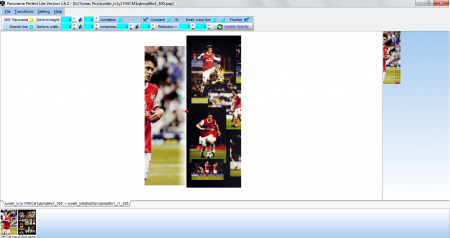
The software deals with the complex process of creating panoramic photos and as expected, it is slightly tricky to understand in the first few attempts. However, for those who are into the editing world for long; it would not be that much of a problem. Check few other free software to create Panoramic photos.
Features Of This Software To Create Panoramic Photos:
- Ability to create enormous sized Panoramic photos. The quality of panoramic images created with this software is immense.
- Jaw dropping pixel resolutions can be scaled for these Panoramic photos.
- The individual images in a Panoramic photo are blended expertly to remove the rough glitches.
- The photos stitched using Panorama Perfect can be edited to a variable extent. You can crop these images or rotate, warp, move.
- Brightness, Contrast and Dark Edge correction features are incorporated in the software.
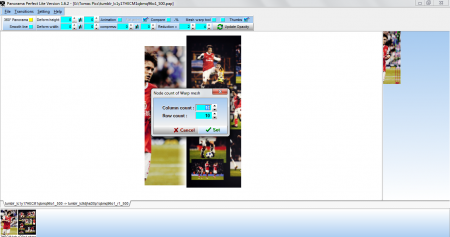
The Working Of Panorama Perfect For Creating Panoramic Photos:
The main tabs on the interface are File, Transitions, Settings. The file tab is used to open the images, create the panoramic image and to save the project.
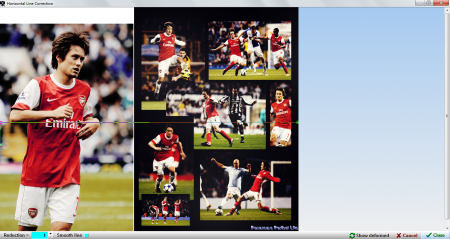
The transitions tab contains all the editing settings. You can control the brightness, set the warping meshes and even store and restore your settings.
With the Settings tab, you can select the language and the maximum memory usage for the panoramic photos. Help tab provides the help file. Also, check out Panorama Plus reviewed by us.
The Final Verdict:
Panorama Perfect can be used to create finest panoramic photos. The editing features though complex, are very handy and useful. However, there is a flip side to the effectiveness of the software. The full version of this software is not available for free. The image resolution needs to be scaled down for the free version of the software. The full version is quite expensive and must be ordered online.
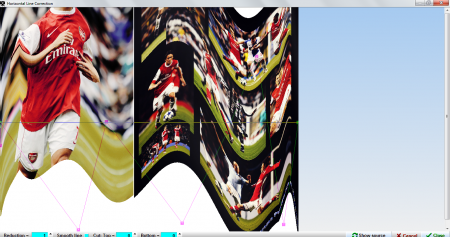
If creating beautiful panoramic photos of top quality, is your aim, then this software is indespensable for you. All kinds of panoramic effects can be produced in detail with Panorama Perfect. However, with the image size limitations that it has, your editing process will face a lot of hindrance. Try Panorama Perfect here.
